This documentation is available as Markdown for AI agents and LLMs. See the full Markdown index or append .md to any documentation URL.
This is documentation for the next SDK version. For up-to-date documentation, see the latest version (SDK 57).
Menu
A menu compatible with @react-native-menu/menu.
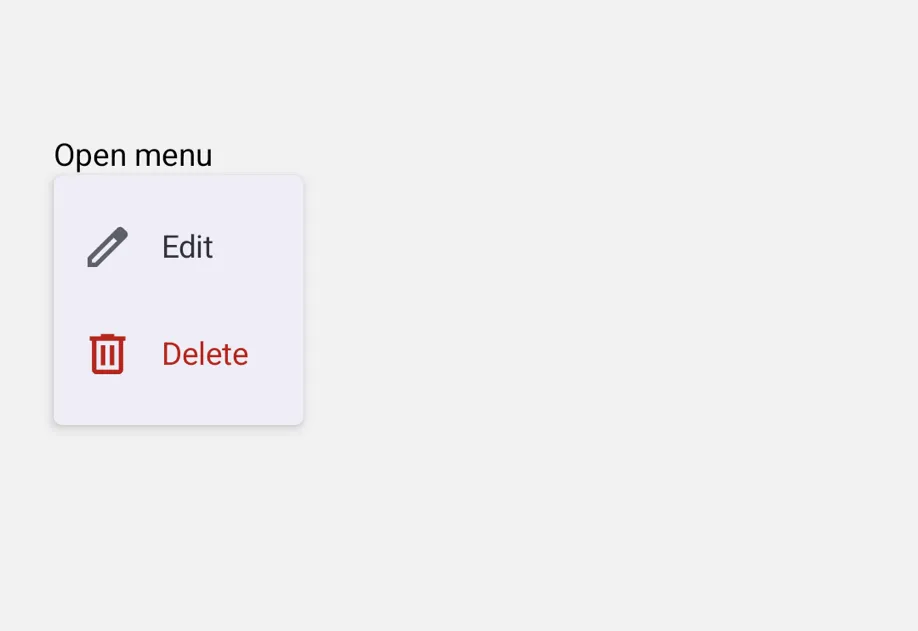
A MenuView component with an API compatible with @react-native-menu/menu. Supports both single-tap (default) and long-press (shouldOpenOnLongPress) triggers.
Under the hood this component wraps the platform-specific @expo/ui primitives:
- Android: Jetpack Compose DropdownMenu anchored to an internal
Pressabletrigger. - iOS: SwiftUI Menu for tap triggers and SwiftUI ContextMenu for long-press triggers.
If you need lower-level control, use those primitives directly.

Installation
If you are installing this in an existing React Native app, make sure to install expo in your project.
Migrating from @react-native-menu/menu
- Update the import from
import { MenuView } from '@react-native-menu/menu'toimport { MenuView } from '@expo/ui/community/menu'. action.imageon Android differs from upstream.@react-native-menu/menuexpects a drawable resource name string (for example,'ic_menu_add') that it resolves againstandroid/app/src/main/res/drawable/. This drop-in does not resolve drawable resource names — pass anImageSourcePropTypeinstead (for example,require('@expo/material-symbols/edit.xml')). String values are accepted on iOS as SF Symbol names. UseIcon.selectto define both per call site so the unused side tree-shakes out per platform.titleis rendered as a section header on iOS only; Android's MaterialDropdownMenuhas no title slot.- On Android,
MenuViewwraps the trigger in its ownPressableto open the menu, so anonPress/onLongPresshandler attached to aPressableyou pass aschildrenwon't fire — the outer wrapper claims the gesture. Move that handler into youronPressActionswitch instead, or use the lower-levelDropdownMenuprimitive if you need to keep separate tap and long-press actions on the trigger. - The imperative
ref.show()API is Android-only. SwiftUIMenu/ContextMenuhave no programmatic open API, so on iOS the call is a no-op (with a one-time dev warning). - The following props from
@react-native-menu/menuare not supported:themeVariant,hitSlop,isAnchoredToRight,subtitle,keepsMenuPresented,preferredElementSize, andstate: 'mixed'.
Basic usage
Pass any view as the trigger. MenuView attaches its own tap or long-press handling.
Long-press (context menu)
Set shouldOpenOnLongPress to render as a context menu. On Android, the same controlled DropdownMenu opens from a long press on the trigger instead of a tap. On iOS, this uses SwiftUI's ContextMenu and shows the trigger as a blurred preview.
Submenus and inline sections
subactions renders nested actions as a submenu by default. Set displayInline: true on the parent to render the children as an inline section instead, which is useful for grouping. On Android, only the divider appears (Material's DropdownMenu has no section primitive). On iOS, the parent's title becomes the section header.
Toggle items with checkmarks
Set state to 'on' or 'off' to render an action as a toggleable item with a leading checkmark when on. Selecting the action fires onPressAction and the caller is responsible for updating the state.
API
import { MenuView } from '@expo/ui/community/menu';
No API data file found, sorry!