This documentation is available as Markdown for AI agents and LLMs. See the full Markdown index or append .md to any documentation URL.
Expo 小部件
一个使用 Expo UI 组件构建 iOS 主屏幕小组件和实时活动的库。
重要 这个库在 Expo Go 应用中不可用 — 使用 开发构建 来尝试它。
expo-widgets 可以使用 Expo UI 组件创建 iOS 主屏幕小组件和实时活动(Live Activities),而无需编写原生代码。它提供了一个简单的 API 来创建和更新小组件的时间线,以及启动和管理实时活动。你可以使用 expo/ui 组件和修饰符来构建布局。
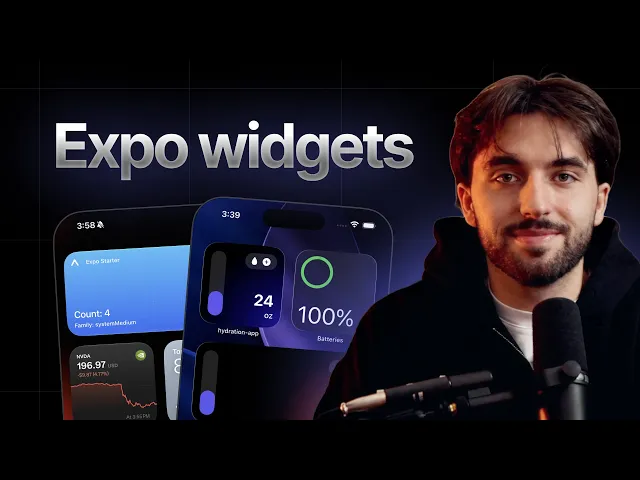
用 TypeScript 和 expo-widgets 构建一个原生 iOS 主屏幕小组件。
已知的限制
🌐 Known limitations
- 频繁的实时活动更新。 要提高频繁推送更新的预算,请在你的Info.plist中将
NSSupportsLiveActivitiesFrequentUpdates设置为true。系统仍可能限制更新频率,而且用户可以在设置中禁用频繁更新。 - 组件运行时。 在标记为
'widget'的组件内的代码运行在隔离的运行时环境中,只能使用@expo/ui/swift-ui组件,不能使用 React hooks、应用状态或异步操作。详见 The'widget'directive。
安装
🌐 Installation
If you are installing this in an existing React Native app, make sure to install expo in your project.
The with-widgets example comes with expo-widgets already installed and configured:
应用配置中的配置
🌐 Configuration in app config
如果在项目中使用配置插件(连续原生生成 (CNG)),可以通过内置的 配置插件 配置 expo-widgets。该插件允许你配置一些无法在运行时设置、需要构建新的应用二进制文件才能生效的属性。
🌐 You can configure expo-widgets using its built-in config plugin if you use config plugins in your project (Continuous Native Generation (CNG)). The plugin allows you to configure various properties that cannot be set at runtime and require building a new app binary to take effect.
Example app.json with config plugin
Configurable properties
信息 顶层的
supportedFamilies和contentMarginsDisabled选项是ios.supportedFamilies和ios.contentMarginsDisabled的弃用别名。建议使用上面展示的嵌套ios形式。
包含所有选项的完整示例
🌐 Full example with all options
用法
🌐 Usage
'widget' 指令
🌐 The 'widget' directive
传给 createWidget 和 createLiveActivity 的组件必须以 'widget' 指令开头。这个指令告诉打包工具把该组件编译成一个独立的 JavaScript 包,在小部件扩展的隔离运行环境中运行,而不是在你的应用的 React Native 运行时中运行。
🌐 Components passed to createWidget and createLiveActivity must start with the 'widget' directive. The directive tells the bundler to compile that component into a separate JavaScript bundle that runs in an isolated runtime inside the widget extension, not in your app's React Native runtime.
由于这种隔离,'widget' 标记的组件内部的代码受到限制:
🌐 Because of this isolation, code inside a 'widget'-marked component is limited:
- 它只能渲染
@expo/ui/swift-ui组件和修饰符。标准的 React Native 组件(比如来自react-native的View和Text)不可用。 - 它不能使用 React 钩子(
useState、useEffect等)、组件状态或上下文。这个函数必须是纯函数,并且同步返回它的布局。 - 它无法执行异步工作、导入其他模块,也不能访问你的应用运行时或内存中的状态。
- 它不能引用组件函数外声明的任何东西,包括同一个文件里的普通顶层
const。打包器只会序列化函数体,所以模块级别的值在运行时不存在。每个常量和辅助函数都要在组件函数内部声明,或者通过 props 传入。
一个小组件所需的所有数据都必须通过它的 props(用 updateSnapshot、updateTimeline 或实时活动的 start 和 update 设置)以及 environment 参数传入。要使用图片,请从你的应用写入 widgetsDirectory,然后按路径引用它们。
🌐 All data a widget needs must come in through its props (set with updateSnapshot, updateTimeline, or a Live Activity's start and update) and the environment argument. To use images, write them to widgetsDirectory from your app and reference them by path.
import { Text } from '@expo/ui/swift-ui';
import { createWidget, type WidgetEnvironment } from 'expo-widgets';

// Declared at module scope — not included in the widget bundle.
const CITY_NAMES: Record<string, string> = { sf: 'San Francisco' };

const CityWidget = (props: object, environment: WidgetEnvironment<{ city: string }>) => {
  'widget';
  // Throws at runtime: Can't find variable: CITY_NAMES
  return <Text>{CITY_NAMES[environment.configuration.city]}</Text>;
};

export default createWidget('CityWidget', CityWidget);
把 CITY_NAMES 移到 CityWidget 里面(或者通过 props 传递解析后的值)来修复它。
🌐 Move CITY_NAMES inside CityWidget (or pass the resolved value through props) to fix it.
小部件
🌐 Widgets
前提:创建一个小部件
🌐 Prerequisite: Creating a widget
首先使用 createWidget 函数创建一个小组件,并传入带有 'widget' 指令标记的组件。组件将你的小组件属性作为第一个参数,并将一个 WidgetEnvironment 对象作为第二个参数接收。
🌐 Start by creating a widget using the createWidget function and pass the widget component marked with the 'widget' directive. The component receives your widget props as the first argument and a WidgetEnvironment object as the second.
import { Text, VStack } from '@expo/ui/swift-ui';
import { font, foregroundStyle } from '@expo/ui/swift-ui/modifiers';
import { createWidget, type WidgetEnvironment } from 'expo-widgets';

type MyWidgetProps = {
  count: number;
};

const MyWidget = (props: MyWidgetProps, environment: WidgetEnvironment) => {
  'widget';
  return (
    <VStack>
      <Text modifiers={[font({ weight: 'bold', size: 16 }), foregroundStyle('#000000')]}>
        Count: {props.count}
      </Text>
      <Text>Family: {environment.widgetFamily}</Text>
    </VStack>
  );
};

export default createWidget('MyWidget', MyWidget);
小部件名称('MyWidget')必须与你的小部件配置中 应用配置 的 name 字段相匹配。
🌐 The widget name ('MyWidget') must match the name field in your widget configuration in the app config.
基础小部件
🌐 Basic widget
更新小部件的有效方法是使用 updateSnapshot 方法。这会创建一个只有一个条目的小部件时间线,该条目会立即显示。
🌐 An effective way to update a widget is to use the updateSnapshot method. This creates a widget timeline with a single entry that displays immediately.
下面的例子是接着创建小部件的内容。
🌐 The example below continues from Creating a widget.
import MyWidget from './MyWidget';

// Update the widget
MyWidget.updateSnapshot({ count: 5 });
时间轴小部件
🌐 Timeline widget
使用 updateTimeline 方法在特定时间安排小部件更新。系统会根据时间表自动更新小部件。
🌐 Use the updateTimeline method to schedule widget updates at a specific time. The system automatically updates the widget based on the timeline.
下面的例子是接着创建小部件的内容。
🌐 The example below continues from Creating a widget.
import MyWidget from './MyWidget';

MyWidget.updateTimeline([
  { date: new Date(), props: { count: 1 } },
  { date: new Date(Date.now() + 3600000), props: { count: 2 } }, // 1 hour from now
  { date: new Date(Date.now() + 7200000), props: { count: 3 } }, // 2 hours from now
  { date: new Date(Date.now() + 10800000), props: { count: 4 } }, // 3 hours from now
]);
阅读当前时间线
🌐 Reading the current timeline
使用 getTimeline 来读取当前为某个小部件安排的条目,包括过去和将来的条目。
🌐 Use getTimeline to read the entries currently scheduled for a widget, including past and future entries.
import MyWidget from './MyWidget';

const entries = await MyWidget.getTimeline();
// [{ date: Date, props: { count: number } }, ...]
正在重新加载小部件
🌐 Reloading a widget
使用 reload 可以强制系统立即刷新小部件的内容和时间线,例如在底层数据发生变化后。
🌐 Use reload to force the system to refresh a widget's content and timeline immediately, for example after the underlying data changes.
import MyWidget from './MyWidget';

MyWidget.reload();
响应式小部件
🌐 Responsive widget
使用 environment 参数以将布局适应当前小部件的大小和渲染上下文。
🌐 Use the environment argument to adapt the layout to the current widget size and rendering context.
import { HStack, Text, VStack } from '@expo/ui/swift-ui';
import { createWidget, type WidgetEnvironment } from 'expo-widgets';

type WeatherWidgetProps = {
  temperature: number;
  condition: string;
};

const WeatherWidget = (props: WeatherWidgetProps, environment: WidgetEnvironment) => {
  'widget';
  // Render different layouts based on size
  if (environment.widgetFamily === 'systemSmall') {
    return (
      <VStack>
        <Text>{props.temperature}°</Text>
      </VStack>
    );
  }

  if (environment.widgetFamily === 'systemMedium') {
    return (
      <HStack>
        <Text>{props.temperature}°</Text>
        <Text>{props.condition}</Text>
      </HStack>
    );
  }

  // systemLarge and others
  return (
    <VStack>
      <Text>Temperature: {props.temperature}°</Text>
      <Text>Condition: {props.condition}</Text>
      <Text>Updated: {environment.date.toLocaleTimeString()}</Text>
    </VStack>
  );
};

const Widget = createWidget('WeatherWidget', WeatherWidget);
export default Widget;

Widget.updateSnapshot({
  temperature: 72,
  condition: 'Sunny',
});
适应渲染环境
🌐 Adapting to the rendering environment
除了 widgetFamily 和 date,environment 对象描述了系统如何以及在哪里绘制小组件,这样你就可以调整布局:
🌐 Beyond widgetFamily and date, the environment object describes how and where the system is drawing the widget so you can adapt the layout:
colorScheme:'light'或'dark'。widgetRenderingMode:'fullColor'用于主屏幕小组件,'vibrant'用于锁屏小组件(系统会将它们转换为自适应单色外观),'accented'用于 iOS 18 及更高版本的着色小组件。使用它来选择在每种模式下都易于阅读的颜色。isLuminanceReduced:true当显示屏需要降低亮度时(例如常显模式)。降低内容的整体亮度,例如使用描边而不是填充形状。widgetContentMargins:当内容边距未禁用时,系统建议的边距(top、bottom、leading、trailing)。showsWidgetLabel:对于附加小部件,是否可以显示附加标签。
互动小部件
🌐 Interactive widgets
小组件可以包括交互控件,例如 Button。按钮的 onPress 回调返回的值会成为小组件的新属性。运行时会保存它,并在设备上重新加载小组件,无需运行中的应用。这样是让小组件在点击时自我更新的主要方式。互动小组件需要 iOS 17 或更高版本。
🌐 Widgets can include interactive controls such as Button. The value a button's onPress callback returns becomes the widget's new props. The runtime persists it and reloads the widget on device, with no running app process required. This is the primary way to make a widget update itself in response to a tap. Interactive widgets require iOS 17 or later.
用 CounterWidget.updateSnapshot({ count: 0 }) 从你的应用初始化小部件。
🌐 Initialize the widget from your app with CounterWidget.updateSnapshot({ count: 0 }).
为了让你的运行应用也能与小组件交互保持同步,给控件一个 target 标识符(如上所示),并使用 addUserInteractionListener 监听点击。监听器会收到小组件的 name 作为 source,以及控件的 target。不同于 onPress,它只在应用进程存活时触发,所以用它来把交互同步到应用状态,而不是作为小组件的更新机制。
🌐 To also keep your running app in sync with widget interactions, give the control a target identifier (as above) and listen for taps with addUserInteractionListener. The listener receives the widget's name as source and the control's target. Unlike onPress, it only fires while the app process is alive, so use it to mirror interactions into app state, not as the widget's update mechanism.
与 widgetsDirectory 分享图片
🌐 Sharing images with widgetsDirectory
小组件无法访问你应用沙箱里的文件,所以如果想在小组件里显示图片,你必须把图片放到共享应用组容器里。widgetsDirectory 是一个 file:// URL 字符串,指向一个你的应用和小组件都能读取的目录。你可以先在应用里把图片写进去,然后在小组件里通过路径引用它。
🌐 A widget can't access files inside your app's sandbox, so to display an image in a widget you must place it in the shared app group container. widgetsDirectory is a file:// URL string pointing to a directory that both your app and its widgets can read. Write the image there from your app, then reference it by path in the widget.
import { widgetsDirectory } from 'expo-widgets';

// `widgetsDirectory` is a file:// URL to a directory shared with your widgets.
console.log(widgetsDirectory);
信息
widgetsDirectory只有在没有配置应用组时才是null。groupIdentifier配置插件选项会自动设置一个(回退到group.<bundle identifier>),因此在正常使用中是可用的。
可配置小部件
🌐 Configurable widgets
当你向小组件添加一个 ios.configuration 时,用户可以长按该小组件并编辑它的参数。他们选择的数值会通过 environment.configuration 传递给你的小组件。通过向 createWidget(和 WidgetEnvironment) 传递第二个类型参数来定义配置类型。可配置的小组件需要 iOS 17 或更高版本。
🌐 When you add an ios.configuration to a widget, users can long-press the widget and edit its parameters. The values they choose are delivered to your widget through environment.configuration. Type the configuration by passing a second type argument to createWidget (and WidgetEnvironment). Configurable widgets require iOS 17 or later.
import { Text, VStack } from '@expo/ui/swift-ui';
import { createWidget, type WidgetEnvironment } from 'expo-widgets';

type WeatherProps = {
  temperature: number;
};

type WeatherConfiguration = {
  city: string;
};

const WeatherWidget = (
  props: WeatherProps,
  environment: WidgetEnvironment<WeatherConfiguration>
) => {
  'widget';
  return (
    <VStack>
      <Text>{environment.configuration.city}</Text>
      <Text>{props.temperature}°</Text>
    </VStack>
  );
};

export default createWidget<WeatherProps, WeatherConfiguration>('WeatherWidget', WeatherWidget);
实时活动
🌐 Live Activities
实时活动会在支持的设备上的锁屏和动态岛显示实时信息。
🌐 Live Activities display real-time information on the Lock Screen and in the Dynamic Island on supported devices.
前提条件:创建一个实时活动
🌐 Prerequisite: Creating a Live Activity
Live Activity 布局必须用 createLiveActivity 创建一次,并用 'widget' 指令标记。组件将你的 props 作为第一个参数,LiveActivityEnvironment 对象作为第二个参数。它返回一个对象,描述每种展示的布局:锁屏的 banner、紧凑和最小的 Dynamic Island 状态,以及扩展的 Dynamic Island 区域。
🌐 Live Activity layouts must be created once using createLiveActivity and marked with the 'widget' directive. The component receives your props as the first argument and a LiveActivityEnvironment object as the second. It returns an object describing the layout for each presentation: the Lock Screen banner, the compact and minimal Dynamic Island states, and the expanded Dynamic Island regions.
重要
createLiveActivity完全在运行时注册 Live Activity,库自带的 Live Activity 目标会渲染它。不要 在 应用配置 中为它添加widgets[]条目。widgets[]数组仅用于主屏幕和锁屏小部件,而没有supportedFamilies的条目会生成无效的小部件目标,导致构建失败。你传给createLiveActivity的name只需要匹配这个createLiveActivity调用,而不是应用配置中的小部件。
import { Image, Text, VStack } from '@expo/ui/swift-ui';
import { font, foregroundStyle, padding } from '@expo/ui/swift-ui/modifiers';
import { createLiveActivity, type LiveActivityEnvironment } from 'expo-widgets';

type DeliveryActivityProps = {
  etaMinutes: number;
  status: string;
};

const DeliveryActivity = (props: DeliveryActivityProps, environment: LiveActivityEnvironment) => {
  'widget';
  const accentColor = environment.isLuminanceReduced ? '#FFFFFF' : '#007AFF';

  return {
    banner: (
      <VStack modifiers={[padding({ all: 12 })]}>
        <Text modifiers={[font({ weight: 'bold' }), foregroundStyle(accentColor)]}>
          {props.status}
        </Text>
        <Text>Estimated arrival: {props.etaMinutes} minutes</Text>
      </VStack>
    ),
    compactLeading: <Image systemName="box.truck.fill" color={accentColor} />,
    compactTrailing: <Text>{props.etaMinutes} min</Text>,
    minimal: <Image systemName="box.truck.fill" color={accentColor} />,
    expandedLeading: (
      <VStack modifiers={[padding({ all: 12 })]}>
        <Image systemName="box.truck.fill" color={accentColor} />
        <Text modifiers={[font({ size: 12 })]}>Delivering</Text>
      </VStack>
    ),
    expandedTrailing: (
      <VStack modifiers={[padding({ all: 12 })]}>
        <Text modifiers={[font({ weight: 'bold', size: 20 })]}>{props.etaMinutes}</Text>
        <Text modifiers={[font({ size: 12 })]}>minutes</Text>
      </VStack>
    ),
    expandedBottom: (
      <VStack modifiers={[padding({ all: 12 })]}>
        <Text>Driver: John Smith</Text>
        <Text>Order #12345</Text>
      </VStack>
    ),
  };
};

export default createLiveActivity('DeliveryActivity', DeliveryActivity);
布局对象支持这些区域:
🌐 The layout object supports these regions:
banner:主锁屏展示bannerSmall:在 CarPlay 和 watchOS 上使用的紧凑锁屏展示。省略时会回退到banner。compactLeading、compactTrailing、minimal:紧凑且极简的动态岛状态。expandedLeading、expandedTrailing、expandedCenter、expandedBottom:扩展动态岛的区域。
environment 对象还暴露了 isLuminanceReduced、isActivityFullscreen、isActivityUpdateReduced 和 activityFamily,这样你就可以根据当前的展示调整布局。
🌐 The environment object also exposes isLuminanceReduced, isActivityFullscreen, isActivityUpdateReduced, and activityFamily so you can adapt the layout to the current presentation.
开始实时活动
🌐 Starting a Live Activity
下面的示例接着创建实时活动继续。
🌐 The example below continues from Creating a Live Activity.
import { Button, View } from 'react-native';
import DeliveryActivity from './DeliveryActivity';

function App() {
  const startDeliveryTracking = () => {
    // Start the Live Activity
    const instance = DeliveryActivity.start(
      {
        etaMinutes: 15,
        status: 'Your delivery is on the way',
      },
      'myapp://deliveries/12345'
    );
    // Store instance
  };

  return (
    <View style={{ flex: 1, justifyContent: 'center', alignItems: 'center' }}>
      <Button title="开始跟踪配送" onPress={startDeliveryTracking} />
    </View>
  );
}
export default App;
可选的第二个参数是与实时活动关联的 URL。当用户点击该活动时,系统会使用该 URL 打开你的应用,因此你可以使用 linking 跳转到相关页面(例如使用 Expo Router 的深度链接功能)。
🌐 The optional second argument is a URL associated with the Live Activity. When the user taps the activity, the system opens your app with that URL, so you can route to the relevant screen using linking (for example with Expo Router's deep linking).
更新实时活动
🌐 Updating a Live Activity
下面的示例继续自 启动实时活动。
🌐 The example below continues from Starting a Live Activity.
import { LiveActivity } from 'expo-widgets';

function updateDelivery(instance: LiveActivity<DeliveryActivityProps>) {
  instance.update({
    etaMinutes: 2,
    status: 'Delivery arriving soon!',
  });
}
恢复正在进行的实时活动
🌐 Recovering active Live Activities
一个实时活动可以比启动它的应用进程存在的时间更长。使用工厂上的 getInstances 来获取当前活动的该类型活动,例如在应用重新启动后更新或结束它们。
🌐 A Live Activity can outlive the app process that started it. Use getInstances on the factory to retrieve the activities of that type that are currently active, for example to update or end them after your app relaunches.
import DeliveryActivity from './DeliveryActivity';

const activeInstances = DeliveryActivity.getInstances();

for (const instance of activeInstances) {
  await instance.update({ etaMinutes: 5, status: 'Almost there' });
}
结束直播活动
🌐 Ending a Live Activity
使用 end 来完成实时活动。你可以选择结束策略,可选地提供最终内容状态,并传递一个 contentDate,以便系统可以忽略过时的更新。
🌐 Use end to finish a Live Activity. You can choose the dismissal policy, optionally provide a final content state, and pass a contentDate so the system can ignore stale updates.
import { after, type LiveActivity } from 'expo-widgets';

async function completeDelivery(instance: LiveActivity<DeliveryActivityProps>) {
  await instance.end(
    after(new Date(Date.now() + 15 * 60 * 1000)),
    {
      etaMinutes: 0,
      status: 'Delivered',
    },
    new Date()
  );
}
你也可以传入 'default' 或 'immediate' 来替代 after(date) 作为退出策略。
🌐 You can also pass 'default' or 'immediate' instead of after(date) for the dismissal policy.
支持推送通知的远程更新
🌐 Remote updates with push notifications
当 enablePushNotifications 是 true 时,你可以通过 Apple 推送通知服务(APNs)从你的服务器远程更新实时活动。
🌐 When enablePushNotifications is true, you can update Live Activities remotely from your server through Apple Push Notification service (APNs).
- 使用
addPushToStartTokenListener来获取全应用的推送启动令牌,这可以让你的服务器远程启动实时活动(需要 iOS 17.2 或更高版本)。 - 使用
instance.getPushToken()或instance.addPushTokenListener()来获取特定正在运行的实时活动的令牌,这样你的服务器就可以向该活动发送更新。
import { addPushToStartTokenListener } from 'expo-widgets';
import DeliveryActivity from './DeliveryActivity';

const pushToStartSubscription = addPushToStartTokenListener(event => {
  console.log('Push-to-start token:', event.activityPushToStartToken);
});

async function startDeliveryTracking() {
  const instance = DeliveryActivity.start({
    etaMinutes: 15,
    status: 'Your delivery is on the way',
  });

  const pushToken = await instance.getPushToken();
  console.log('Per-activity token:', pushToken);

  const subscription = instance.addPushTokenListener(event => {
    console.log('Updated push token:', event.activityId, event.pushToken);
  });

  // Later, when you no longer need updates:
  subscription.remove();
}

// Later, when you no longer need updates:
pushToStartSubscription.remove();
将令牌发送到你的服务器,并使用它来推送更新。通知必须使用 liveactivity 推送类型(apns-push-type 头)和 apns-topic 为 <your bundle identifier>.push-type.liveactivity。它的 aps 负载携带一个 event(start、update 或 end)、一个 timestamp,还有一个与活动属性匹配的 content-state。content-state 必须与 expo-widgets 使用的内部内容状态匹配:将 name 设置为你传给 createLiveActivity 的名称,将 props 设置为该活动属性的 JSON 字符串。使用 apns-priority: 10 进行即时更新,使用 apns-priority: 5 进行低优先级更新。timestamp、dismissal-date 以及其他 APNs 日期字段都是以秒为单位的 Unix 时间戳。
🌐 Send the token to your server and use it to push updates. The notification must use the liveactivity push type (the apns-push-type header) and an apns-topic of <your bundle identifier>.push-type.liveactivity. Its aps payload carries an event (start, update, or end), a timestamp, and a content-state that matches your activity's props. The content-state must match the internal content state used by expo-widgets: set name to the name you passed to createLiveActivity, and set props to a JSON string of that activity's props. Use apns-priority: 10 for immediate updates and apns-priority: 5 for lower-priority updates. The timestamp, dismissal-date, and other APNs date fields are Unix timestamps in seconds.
要远程启动实时活动,请向推送启动令牌发送 start 事件:
🌐 To start a Live Activity remotely, send a start event to the push-to-start token:
{
  "aps": {
    "timestamp": 1778832000,
    "event": "start",
    "attributes-type": "LiveActivityAttributes",
    "attributes": {},
    "content-state": {
      "name": "DeliveryActivity",
      "props": "{\"etaMinutes\":15,\"status\":\"Your delivery is on the way\"}"
    },
    "alert": {
      "title": "Delivery started",
      "body": "Your delivery is on the way"
    }
  }
}
远程启动需要 iOS 17.2 或更高版本。如果你希望 APNs 为未来的更新提供新的每次活动令牌,在 iOS 18 或更高版本中,请在 aps 载荷中包含 input-push-token: 1。
🌐 Remote start requires iOS 17.2 or later. Include input-push-token: 1 in the aps payload on iOS 18 or later if you want APNs to provide a new per-activity token for future updates.
要远程更新实时活动,请向该活动的每个活动令牌发送 update 事件:
🌐 To update a Live Activity remotely, send an update event to that activity's per-activity token:
{
  "aps": {
    "timestamp": 1778832300,
    "event": "update",
    "content-state": {
      "name": "DeliveryActivity",
      "props": "{\"etaMinutes\":2,\"status\":\"Delivery arriving soon!\"}"
    }
  }
}
要远程结束一个实时活动,发送带有最终内容状态的 end 事件:
🌐 To end a Live Activity remotely, send an end event with the final content state:
{
  "aps": {
    "timestamp": 1778832600,
    "event": "end",
    "content-state": {
      "name": "DeliveryActivity",
      "props": "{\"etaMinutes\":0,\"status\":\"Delivered\"}"
    },
    "dismissal-date": 1778833200
  }
}
有关确切的负载格式和头信息,请参阅苹果的 使用 ActivityKit 推送通知启动和更新实时活动。
🌐 For the exact payload shape and headers, follow Apple's Starting and updating Live Activities with ActivityKit push notifications.
应用接口
🌐 API
import { createWidget, createLiveActivity } from 'expo-widgets';
Constants
Type: string
A directory that can be used to store shared images for widgets. The contents of this directory are accessible by both the main app and widgets.
Classes
Represents a Live Activity instance. Provides methods to update its content and end it.
LiveActivity Methods
Adds a listener for push token update events on this Live Activity instance. The token can be used to send content updates to this specific activity via APNs.
EventSubscriptionAn event subscription that can be used to remove the listener.
Returns the push token for this Live Activity, used to send push notification updates via APNs.
Returns null if push notifications are not enabled or the token is not yet available.
Promise<string | null>Updates the Live Activity's content. The UI reflects the new properties immediately.
Promise<void>Manages Live Activity instances of a specific type. Use it to start new activities and retrieve currently active ones.
LiveActivityFactory Methods
Returns all currently active instances of this Live Activity type.
LiveActivity[]Starts a new Live Activity with the given properties.
LiveActivity<T>The new Live Activity instance.
Represents a widget instance. Provides methods to manage the widget's timeline.
Widget Methods
Returns the current timeline entries for the widget, including past and future entries.
Promise<WidgetTimelineEntry[]>Sets the widget's content to the given props immediately, without scheduling a timeline.
voidMethods
Creates a Live Activity Factory for managing Live Activities of a specific type.
LiveActivityFactory<T>Event subscriptions
Adds a listener for push-to-start token events. This token can be used to start live activities remotely via APNs.
EventSubscriptionAn event subscription that can be used to remove the listener.
Adds a listener for widget interaction events (for example, button taps).
EventSubscriptionAn event subscription that can be used to remove the listener.
Types
Literal type: string
The level of detail the view is recommended to have. The system can update the levelOfDetail value based on user proximity or other system specific factors and allow content customization adapting to show different levels of details.
simplified— The system recommends showing a simplified view with less details.default— The system has no specific recommendation for the level of detail.
Acceptable values are: 'simplified' | 'default'
A function that returns the layout for a Live Activity.
Literal type: union
Dismissal policy for ending a live activity.
'default'- The system’s default dismissal policy for the Live Activity.'immediate'- The system immediately removes the Live Activity that ended.after(date)- The system removes the Live Activity that ended at the specified time within a four-hour window.
Acceptable values are: 'default' | 'immediate' | ReturnType<after>
Literal type: string
The widget family (size).
systemSmall- Small square widget (2x2 grid).systemMedium- Medium widget (4x2 grid).systemLarge- Large widget (4x4 grid).systemExtraLarge- Extra large widget (iPad only, 6x4 grid).accessoryCircular- Circular accessory widget for the Lock Screen.accessoryRectangular- Rectangular accessory widget for the Lock Screen.accessoryInline- Inline accessory widget for the Lock Screen.
Acceptable values are: 'systemSmall' | 'systemMedium' | 'systemLarge' | 'systemExtraLarge' | 'accessoryCircular' | 'accessoryRectangular' | 'accessoryInline'
Literal type: string
The rendering mode of the widget as provided by WidgetKit.
fullColor— Home screen widgets (default).accented— Tinted widgets (iOS 18+) and watchOS.vibrant— Lock screen widgets.
Acceptable values are: 'fullColor' | 'accented' | 'vibrant'