This documentation is available as Markdown for AI agents and LLMs. See the full Markdown index or append .md to any documentation URL.
菜单
与 @react-native-menu/menu 兼容的菜单。
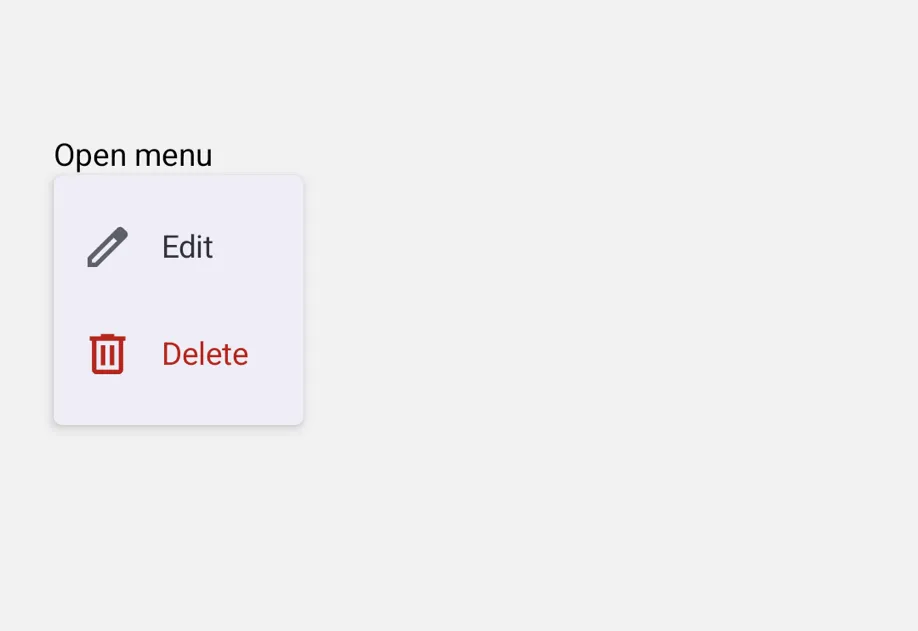
一个 MenuView 组件,其 API 与 @react-native-menu/menu 兼容。支持单击(默认)和长按(shouldOpenOnLongPress)触发。
🌐 A MenuView component with an API compatible with @react-native-menu/menu. Supports both single-tap (default) and long-press (shouldOpenOnLongPress) triggers.
在内部,这个组件封装了平台特定的 @expo/ui 原语:
🌐 Under the hood this component wraps the platform-specific @expo/ui primitives:
- Android: Jetpack Compose 下拉菜单 锚定在内部的
Pressable触发器上。 - iOS:用于点击触发的 SwiftUI 菜单 和用于长按触发的 SwiftUI 上下文菜单。
如果你需要更底层的控制,请直接使用那些原语。
🌐 If you need lower-level control, use those primitives directly.

安装
🌐 Installation
If you are installing this in an existing React Native app, make sure to install expo in your project.
从 @react-native-menu/menu 迁移
🌐 Migrating from @react-native-menu/menu
- 将导入从
import { MenuView } from '@react-native-menu/menu'更新为import { MenuView } from '@expo/ui/community/menu'。 action.image在 Android 上与上游不同。@react-native-menu/menu期望一个 可绘制资源名称 字符串(例如'ic_menu_add'),它会在android/app/src/main/res/drawable/中解析。此替换组件不解析可绘制资源名称——请改为传入ImageSourcePropType(例如require('@expo/material-symbols/edit.xml'))。在 iOS 上,字符串值可作为 SF Symbol 名称使用。使用Icon.select在每个调用位置定义两者,以便未使用的一侧在每个平台上被摇树优化掉。title仅在 iOS 上呈现为章节标题;Android 的 MaterialDropdownMenu没有标题槽。- 在安卓上,
MenuView会将触发器封装在它自己的Pressable中以打开菜单,因此附加在你作为children传入的Pressable上的onPress/onLongPress处理器不会触发——外部封装器会占用手势。将该处理器改放到你的onPressAction切换中,或者如果你需要在触发器上保留独立的点击和长按动作,可以使用更底层的DropdownMenu原语。 - 命令式
ref.show()API 仅限 Android。SwiftUIMenu/ContextMenu没有可编程的开放 API,因此在 iOS 上调用不起作用(并会有一次性开发者警告)。 - 以下来自
@react-native-menu/menu的属性不受支持:themeVariant、hitSlop、isAnchoredToRight、subtitle、keepsMenuPresented、preferredElementSize和state: 'mixed'。
基本用法
🌐 Basic usage
把任何视图作为触发器。MenuView 会附加自己的点击或长按处理。
🌐 Pass any view as the trigger. MenuView attaches its own tap or long-press handling.
长按(上下文菜单)
🌐 Long-press (context menu)
将 shouldOpenOnLongPress 设置为以上下文菜单的形式呈现。在 Android 上,相同的受控 DropdownMenu 是通过长按触发器而不是轻点来打开的。在 iOS 上,这使用 SwiftUI 的 ContextMenu,并将触发器显示为模糊预览。
🌐 Set shouldOpenOnLongPress to render as a context menu. On Android, the same controlled DropdownMenu opens from a long press on the trigger instead of a tap. On iOS, this uses SwiftUI's ContextMenu and shows the trigger as a blurred preview.
子菜单和内联部分
🌐 Submenus and inline sections
subactions 默认将嵌套操作呈现为子菜单。在父级上设置 displayInline: true 可以将子项呈现为内联部分,这对于分组很有用。在 Android 上,只有分隔线会显示(Material 的 DropdownMenu 没有部分原语)。在 iOS 上,父级的 title 会变成部分标题。
切换带有勾选的项目
🌐 Toggle items with checkmarks
将 state 设置为 'on' 或 'off',可以让一个动作显示为可切换的项目,并在开启时显示前置勾选。选择该动作会触发 onPressAction,调用者需要负责更新状态。
🌐 Set state to 'on' or 'off' to render an action as a toggleable item with a leading checkmark when on. Selecting the action fires onPressAction and the caller is responsible for updating the state.
应用接口
🌐 API
import { MenuView } from '@expo/ui/community/menu';
Component
Type: React.Element<MenuComponentProps & {
ref: Ref<MenuComponentRef>
}>
A drop-in replacement for @react-native-menu/menu's MenuView. Wrap any trigger
view; long-pressing or tapping (per shouldOpenOnLongPress) shows a popup menu
built from the actions tree.
- On Android, renders via Compose's
DropdownMenuanchored to aPressable. - On iOS, renders via SwiftUI's
Menu(tap) orContextMenu(long-press). - On web, the trigger renders the trigger but actions do not fire;
a one-time
console.warnis emitted.
Props
ReactNodeTrigger view. Long-pressing or tapping (per shouldOpenOnLongPress) opens the menu.
() => voidCallback invoked when the menu closes (either via dismissal or after an action fires).
On Android, fires from the controlled DropdownMenu's dismiss path.
On iOS, SwiftUI Menu/ContextMenu do not expose a close hook in a way we can
forward, so this is not fired there.
() => voidCallback invoked when the menu opens.
On Android, fires when the trigger's tap/long-press flips expanded to true.
On iOS, SwiftUI Menu/ContextMenu do not expose an open hook, so this is not
fired there.
(event: NativeActionEvent) => voidCallback invoked when a menu action is selected.
boolean • Default: falseWhen true, the menu opens on long-press of the trigger instead of a single tap.
Types
Visual and behavioral attributes of a menu action.
Compatible with @react-native-menu/menu.
Imperative handle exposed by MenuView via ref.
Compatible with @react-native-menu/menu's ref.show() API.
Literal type: string
Selection state for a menu action.
'on' renders a checkmark; 'off' doesn't.
Acceptable values are: 'on' | 'off'