This documentation is available as Markdown for AI agents and LLMs. See the full Markdown index or append .md to any documentation URL.
DisclosureGroup 一个用于显示可展开内容的 SwiftUI DisclosureGroup 组件。
Recommended version:
~57.0.22
Expo UI DisclosureGroup 与官方的 SwiftUI DisclosureGroup API 相匹配,并显示一个可展开或隐藏内容的指示器。
🌐 Expo UI DisclosureGroup matches the official SwiftUI DisclosureGroup API and displays a disclosure indicator that reveals or hides content.
安装
🌐 Installation
- npx expo install @expo/ui
- yarn expo install @expo/ui
- pnpm expo install @expo/ui
- bun expo install @expo/ui
If you are installing this in an existing React Native app , make sure to install expo in your project.
用法
🌐 Usage
基本披露组
🌐 Basic disclosure group
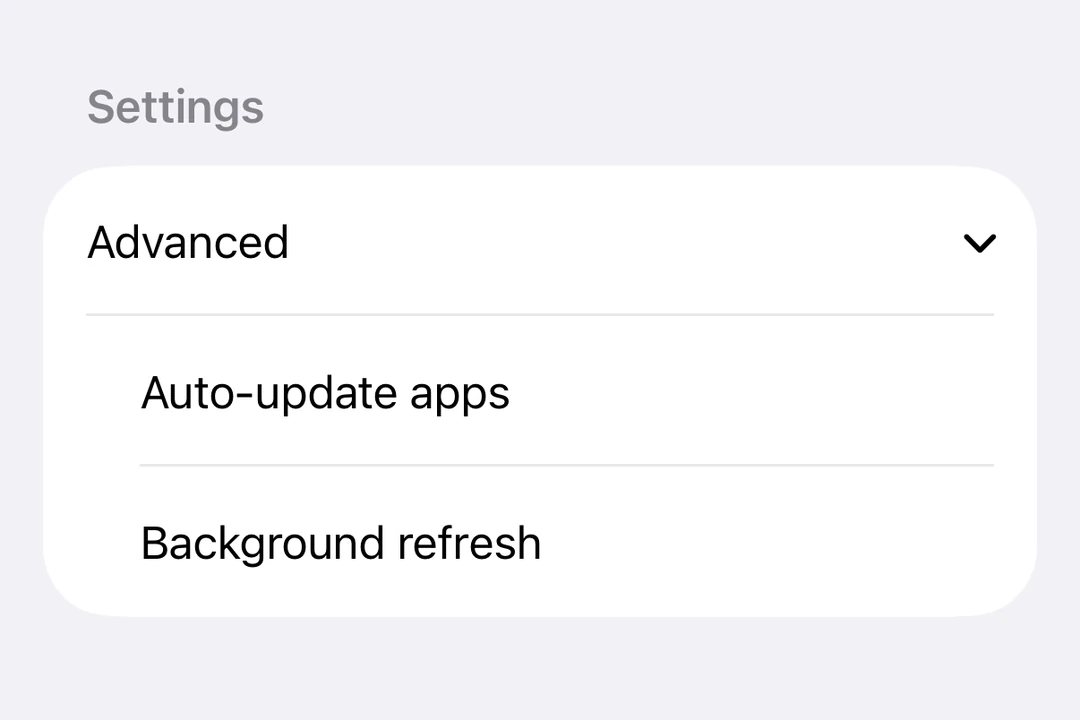
DisclosureGroup最常在Form
BasicDisclosureGroupExample.tsx import { useState } from 'react' ;
import {
DisclosureGroup ,
Form ,
Host ,
Section ,
Text ,
} from '@expo/ui/swift-ui' ;
export default function BasicDisclosureGroupExample ( ) {
const [ isExpanded, setIsExpanded] = useState ( true ) ;
return (
< Host style = { { flex: 1 } } >
< Form >
< Section >
< DisclosureGroup label = " Advanced settings" isExpanded = { isExpanded} onIsExpandedChange = { setIsExpanded} >
< Text > Auto-update apps </ Text >
< Text > App downloads </ Text >
< Text > Offload unused apps </ Text >
</ DisclosureGroup >
</ Section >
</ Form >
</ Host > ) ;
}
最初扩展
🌐 Initially expanded
最初将 isExpanded 设置为 true,以默认显示内容。
🌐 Set isExpanded to true initially to show the content by default.
InitiallyExpandedExample.tsx import { useState } from 'react' ;
import { Host , DisclosureGroup , Text } from '@expo/ui/swift-ui' ;
export default function InitiallyExpandedExample ( ) {
const [ isExpanded, setIsExpanded] = useState ( true ) ;
return (
< Host style = { { flex: 1 } } >
< DisclosureGroup label = " Details" isExpanded = { isExpanded} onIsExpandedChange = { setIsExpanded} >
< Text > This content is visible by default. </ Text >
</ DisclosureGroup >
</ Host > ) ;
}
自定义标签
🌐 Custom label
当标签需要自定义 SwiftUI 内容或修饰符而不是 label 字符串属性时,使用 DisclosureGroup.Label。
🌐 Use DisclosureGroup.Label when the label needs custom SwiftUI content or modifiers instead of the label string prop.
CustomLabelDisclosureGroupExample.tsx import { useState } from 'react' ;
import {
DisclosureGroup ,
Form ,
Host ,
Section ,
Text ,
} from '@expo/ui/swift-ui' ;
import { font, foregroundStyle } from '@expo/ui/swift-ui/modifiers' ;
export default function CustomLabelDisclosureGroupExample ( ) {
const [ isExpanded, setIsExpanded] = useState ( false ) ;
return (
< Host style = { { flex: 1 } } >
< Form >
< Section >
< DisclosureGroup isExpanded = { isExpanded} onIsExpandedChange = { setIsExpanded} >
< DisclosureGroup.Label >
< Text modifiers = { [
font ( { weight: 'semibold' } ) ,
foregroundStyle ( '#0a7ea4' ) ,
] } >
Network options
</ Text >
</ DisclosureGroup.Label >
< Text > Wi-Fi </ Text >
< Text > Bluetooth </ Text >
< Text > Cellular data </ Text >
</ DisclosureGroup >
</ Section >
</ Form >
</ Host > ) ;
}
应用接口
🌐 API
import { DisclosureGroup } from '@expo/ui/swift-ui' ;
Component Type: React.Element < DisclosureGroupProps >
Optional • Type: boolean
Controls whether the disclosure group is expanded.
Optional • Type: string
Text label for the disclosure group. Use DisclosureGroup.Label for custom label content.
Optional • Type: ( isExpanded: boolean ) => void
A callback that is called when the expansion state changes.