This documentation is available as Markdown for AI agents and LLMs. See the full Markdown index or append .md to any documentation URL.
提交至应用商店
如何将你的应用提交到 Google Play 商店和苹果 App Store 的概览。
发布一个应用意味着将签名的二进制文件(Android 为 .aab,iOS 为 .ipa)上传到 Google Play 控制台或 App Store Connect。从那里,Google 和 Apple 会管理审核、测试渠道以及正式上线。
🌐 Releasing an app means uploading a signed binary (.aab for Android, .ipa for iOS) to Google Play Console or App Store Connect. From there, Google and Apple manage review, testing tracks, and production rollout.
你有两种方式将二进制文件上传到各个应用商店:使用 EAS Submit 提交,或者通过商店自带的工具手动上传。推荐使用 EAS Submit,因为它可以在任何操作系统上运行(包括用于 iOS 的 Windows 和 Linux),还可以与 EAS Build 和 EAS Workflows 集成,并且可以从 CI/CD 服务中运行。手动上传在你不使用 EAS,或者想直接在 Play Console 创建 Android 应用的首个版本的时候会很有用。
🌐 You have two options for getting a binary into each store: submit with EAS Submit, or upload manually through the store's own tools. EAS Submit is the recommended path since it works from any OS (including Windows and Linux for iOS), integrates with EAS Build and EAS Workflows, and can be run from a CI/CD service. Manual uploads are useful when you aren't using EAS, or when you prefer to create your Android app's first release directly in Play Console.
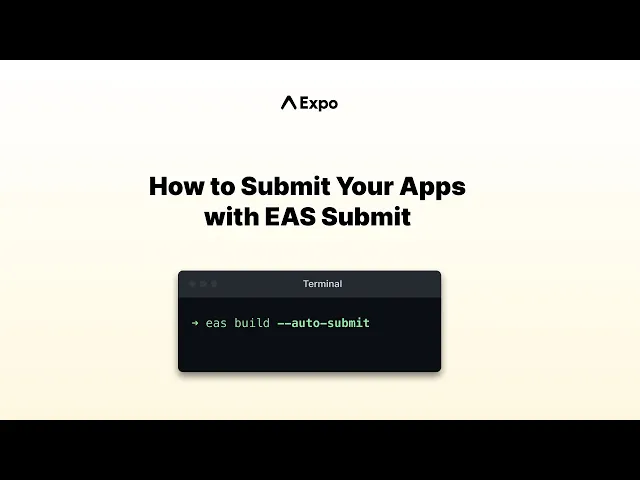
EAS Submit 让你只需一个简单的命令就能轻松将应用发布到 App Store 和 Play 商店。
EAS 提交是如何工作的
🌐 How EAS Submit works
Android(Google Play 商店)
🌐 Android (Google Play Store)
EAS Submit 会将你的 .aab 上传到 Google Play Console,并放到你选择的发布轨道(内部、Alpha、Beta 或生产)。对于全新的应用,默认的 eas submit 命令会在 内部测试轨道 创建第一个版本,即使你还没有完成商店列表。要超出内部测试进行分发,需要在 Play Console 完成设置任务并提升版本。要上传构建但不发布到轨道,可以在 eas.json 中将 releaseStatus 设置为 draft。
🌐 EAS Submit uploads your .aab to Google Play Console and places it in the track you choose (internal, alpha, beta, or production). For a brand-new app, the default eas submit command creates the first release on the internal testing track, even before you complete the store listing. To distribute beyond internal testing, finish the setup tasks in Play Console and promote the release. To upload a build without rolling it out to its track, set releaseStatus to draft in eas.json.
iOS(苹果应用商店)
🌐 iOS (Apple App Store)
EAS Submit 会将你的 .ipa 上传到 App Store Connect,处理完成后(通常需要 10-15 分钟)就可以在 TestFlight 中使用了。TestFlight 的版本不会自动发布到 App Store。要发布到正式版,需要登录 App Store Connect,完善应用的元数据和截图,选择对应的版本,然后提交审核。
🌐 EAS Submit uploads your .ipa to App Store Connect, where it becomes available in TestFlight after processing (usually 10-15 minutes). A TestFlight build is not automatically released to the App Store. To ship it to production, sign in to App Store Connect, complete the app metadata and screenshots, select the build, and submit it for App Review.
何时使用 EAS 提交
🌐 When to use EAS Submit
选择提交方式
🌐 Choose a submission path
推荐。只需一条命令,就能从你的电脑或 CI 上传 Android 构建到 Google Play 控制台。
推荐。你可以从任何操作系统上传你的 iOS 构建到 App Store Connect 和 TestFlight,包括 Windows 和 Linux。
按照逐步的 Play 控制台教程来创建你 Android 应用的首次发布。
在 macOS 上使用 Xcode 构建、归档并上传 iOS 应用到 App Store Connect。
AI代理的 Expo 技能
🌐 Expo Skills for AI agents
如果你使用 AI 代理,请安装 Expo Skills 来教它如何提交和发布你的应用:
🌐 If you use an AI agent, install Expo Skills to teach it how to submit and release your app:
Build and submit iOS and Android apps with EAS to TestFlight, the App Store, or Google Play.
常见问题
🌐 Frequently asked questions
我可以提交不是用 EAS Build 构建的版本吗?
是的。EAS Submit 接受任何有效的 .aab(Android 应用包)或 .ipa(iOS 应用归档)文件。
🌐 Yes. EAS Submit accepts any valid .aab (Android App Bundle) or .ipa (iOS App Archive) file.
对于使用 EAS Build 创建的构建,运行 eas submit 并从列表中选择一个构建,或让它自动使用最新的构建。
🌐 For builds created with EAS Build, run eas submit and select a build from the list or let it use the latest build automatically.
对于本地构建,使用 --path 标志来指定二进制文件:
🌐 For local builds, use the --path flag to specify the binary:
二进制文件必须正确签名。对于 Android,这意味着需要上传密钥库。对于 iOS,这意味着需要分发证书和配置描述文件。
🌐 The binary must be correctly signed. For Android, this means an upload keystore. For iOS, this means a distribution certificate and provisioning profile.
EAS Submit 会处理商店元数据或截图吗?
EAS Submit 会上传你的二进制文件,但不管理商店上的列表元数据、截图或版本说明。
🌐 EAS Submit uploads your binary but does not manage store listing metadata, screenshots, or release notes.
对于 Google Play 商店,请在提交前直接在 Google Play 控制台 中配置你的商店列表。
🌐 For Google Play Store, configure your store listing directly in Google Play Console before submitting.
对于苹果应用商店,你可以使用 EAS Metadata 来自动化应用信息和本地化描述。
🌐 For Apple App Store, you can use EAS Metadata to automate app information and localized descriptions.
我怎么知道我的提交为什么失败?
在 EAS 仪表板 打开提交详情页面:
🌐 Open the submission details page in the EAS dashboard:
- 查看提交详情页上的日志来了解错误。
- 寻找一个“构建注释”气泡——它们会在日志中直接高亮常见的失败原因和建议的修复方法。
我可以在 EAS Workflows 中或从其他 CI/CD 管道中使用 EAS Submit 吗?
是的。EAS Submit 在 CI 环境中可用,并且可以与 EAS Workflows 集成。你可以在你的工作流配置中添加一个提交任务。例如:
🌐 Yes. EAS Submit works in CI environments and integrates with EAS Workflows. You can add a submit job to your workflow configuration. For example:
jobs:
  submit_ios_to_store:
    type: submit
    needs: [build_ios]
    params:
      build_id: ${{ needs.build_ios.outputs.build_id }}
有关更多信息,请参见 EAS 工作流程预打包作业。
🌐 For more information, see EAS Workflows pre-packaged jobs.
对于 CI 管道,你也可以使用 --non-interactive 标志来跳过提示,使用 --latest 自动选择最新的构建:
🌐 For CI pipelines, you can also use the --non-interactive flag to skip prompts and --latest to automatically select the most recent build: