This documentation is available as Markdown for AI agents and LLMs. See the full Markdown index or append .md to any documentation URL.

Surface

A Jetpack Compose Surface component for styled content containers.

Android
Included in Expo Go

Expo UI Surface matches the official Jetpack Compose Surface API and provides a container that applies Material Design surface styling including color, elevation, and content color.
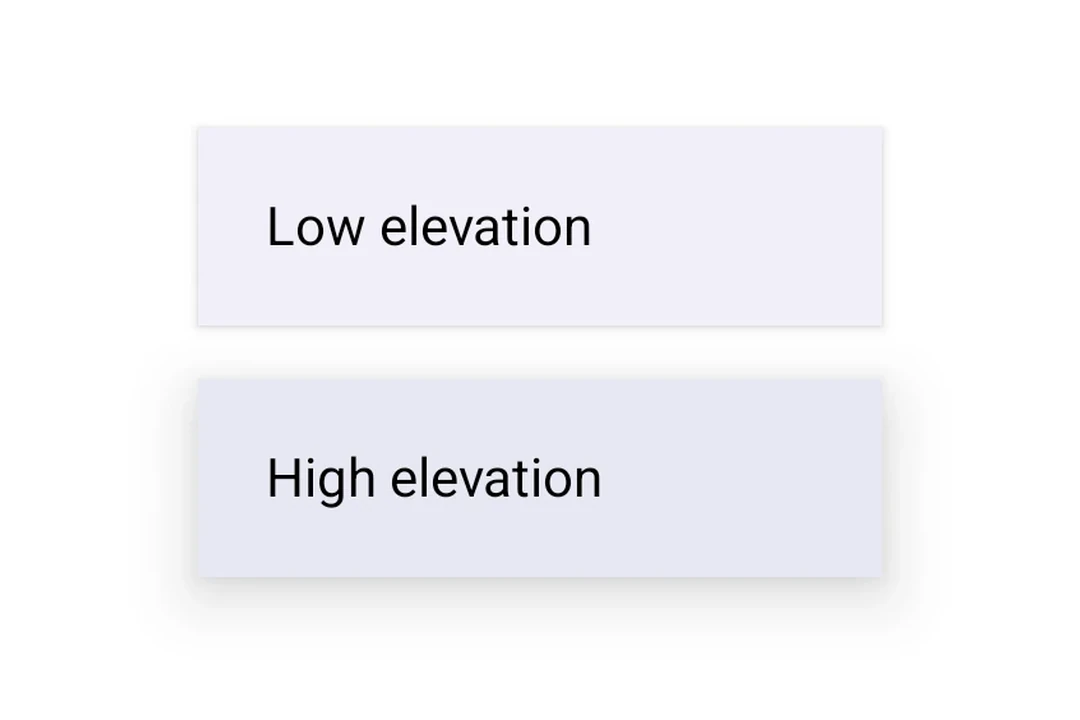
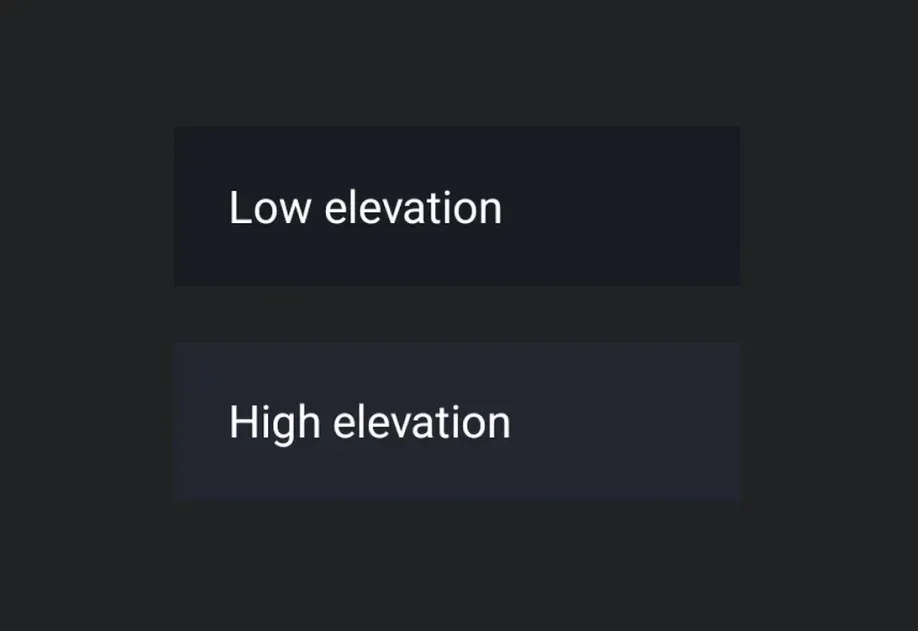
Two stacked Material 3 surfaces at low and high elevationTwo stacked Material 3 surfaces at low and high elevation

Installation

Terminal
- npx expo install @expo/ui
- yarn expo install @expo/ui
- pnpm expo install @expo/ui
- bun expo install @expo/ui

If you are installing this in an existing React Native app, make sure to install expo in your project.

Usage

Basic surface

BasicSurfaceExample.tsx
import { Host, Surface, Text } from '@expo/ui/jetpack-compose'; import { paddingAll } from '@expo/ui/jetpack-compose/modifiers'; export default function BasicSurfaceExample() { return ( <Host matchContents> <Surface> <Text modifiers={[paddingAll(16)]}> Content on a surface </Text> </Surface> </Host> ); }

Surface with elevation

Use tonalElevation and shadowElevation to control the visual depth of the surface.

SurfaceElevationExample.tsx
import { Host, Surface, Column, Text, } from '@expo/ui/jetpack-compose'; import { paddingAll } from '@expo/ui/jetpack-compose/modifiers'; export default function SurfaceElevationExample() { return ( <Host matchContents> <Column verticalArrangement={{ spacedBy: 16 }} modifiers={[paddingAll(16)]}> <Surface tonalElevation={1} shadowElevation={2}> <Text modifiers={[paddingAll(16)]}>Low elevation</Text> </Surface> <Surface tonalElevation={4} shadowElevation={8}> <Text modifiers={[paddingAll(16)]}>High elevation</Text> </Surface> </Column> </Host> ); }

Surface with custom colors

Use the color and contentColor props to override the default Material theme colors.

SurfaceCustomColorsExample.tsx
import { Host, Surface, Text } from '@expo/ui/jetpack-compose'; import { paddingAll } from '@expo/ui/jetpack-compose/modifiers'; export default function SurfaceCustomColorsExample() { return ( <Host matchContents> <Surface color="#1E3A5F" contentColor="#FFFFFF" tonalElevation={2}> <Text color="#FFFFFF" modifiers={[paddingAll(16)]}> Custom colored surface </Text> </Surface> </Host> ); }

Surface with shape and border

Use the shape prop to clip content and border to draw a stroke around the surface.

SurfaceShapeBorderExample.tsx
import { Host, Surface, Shape, Text, } from '@expo/ui/jetpack-compose'; import { paddingAll } from '@expo/ui/jetpack-compose/modifiers'; export default function SurfaceShapeBorderExample() { return ( <Host matchContents> <Surface shape={Shape.RoundedCorner({ cornerRadii: { topStart: 16, topEnd: 16, bottomStart: 16, bottomEnd: 16, }, })} border={{ width: 2, color: '#6200EE' }}> <Text modifiers={[paddingAll(16)]}> Rounded surface with border </Text> </Surface> </Host> ); }

API

import { Surface } from '@expo/ui/jetpack-compose';

No API data file found, sorry!