This documentation is available as Markdown for AI agents and LLMs. See the full Markdown index or append .md to any documentation URL.
This is documentation for the next SDK version. For up-to-date documentation, see the latest version (SDK 57).
BottomSheet
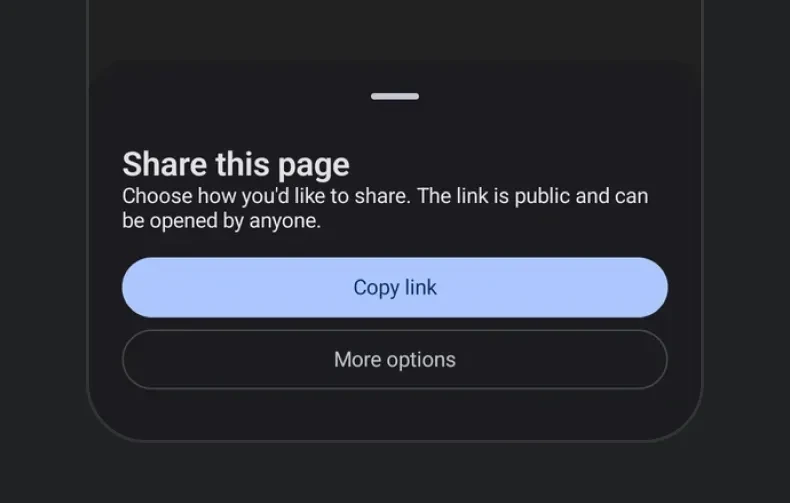
A modal sheet that slides up from the bottom of the screen.
Android
iOS
Web
Included in Expo Go
A modal sheet that slides up from the bottom of the screen. The sheet's visibility is controlled — toggle isPresented from React state and dismiss it from onDismiss (called when the user swipes down or taps the overlay).
On iOS, to show a bottom sheet on top of another, nest the second BottomSheet inside the first sheet's content rather than beside it. This is a limitation of the underlying SwiftUI sheet modifier. See how to present multiple sheets for more information.
import{ useState }from'react';import{ useColorScheme }from'react-native';import{Host,Column,Button,BottomSheet,Text}from'@expo/ui';exportdefaultfunctionBottomSheetExample(){const[isPresented, setIsPresented]=useState(false);const colorScheme =useColorScheme();const ink ={ color: colorScheme ==='dark'?'#FFFFFF':'#000000'};return(<><HostmatchContents><Buttonlabel="Open sheet"onPress={()=>setIsPresented(true)}/></Host><BottomSheetisPresented={isPresented}onDismiss={()=>setIsPresented(false)}><Columnspacing={12}><TexttextStyle={{...ink, fontSize:18, fontWeight:'700'}}>Sheet contents</Text><TexttextStyle={ink}>Drag down or tap the overlay to dismiss.</Text><Buttonlabel="Close"onPress={()=>setIsPresented(false)}/></Column></BottomSheet></>);}
Pass snapPoints to let the user drag the sheet between multiple resting heights. You can use the semantic values 'half' and 'full' for cross-platform parity. The { fraction } and { height } forms are honored precisely on iOS and web.
When sheet content can be taller than the smallest snap point, wrap it in a ScrollView so the overflow scrolls correctly.
BottomSheetSnapPointsExample.tsx
import{ useState }from'react';import{ useColorScheme }from'react-native';import{Host,BottomSheet,Button,Column,ScrollView,Text}from'@expo/ui';exportdefaultfunctionBottomSheetSnapPointsExample(){const[isPresented, setIsPresented]=useState(false);const colorScheme =useColorScheme();const ink ={ color: colorScheme ==='dark'?'#FFFFFF':'#000000'};return(<><HostmatchContents><Buttonlabel="Open"onPress={()=>setIsPresented(true)}/></Host><BottomSheetisPresented={isPresented}onDismiss={()=>setIsPresented(false)}snapPoints={['half','full']}><ScrollView><Columnspacing={12}><TexttextStyle={{...ink, fontSize:20, fontWeight:'700'}}>Half / full sheet</Text><TexttextStyle={ink}>Drag the sheet between half and full screen height.</Text></Column></ScrollView></BottomSheet></>);}
On Android, { fraction } and { height } snap to the nearest of 'half' / 'full' — the underlying ModalBottomSheet only supports two resting states. The partial state is only visible when content is tall enough to exceed Material's partial threshold; give the content an explicit height or fill the available space if you need the half state on short content.
Scrollable React Native content
The bottom sheet supports a React Native list such as FlatList (or a high-performance list like FlashList or Legend List) as a child when wrapped in RNHostView. snapPoints sizes the sheet, and the list scrolls within that height. With nestedScrollEnabled, the list scrolls its own content first; once it reaches the top edge, the remaining drag moves the sheet.