This documentation is available as Markdown for AI agents and LLMs. See the full Markdown index or append .md to any documentation URL.
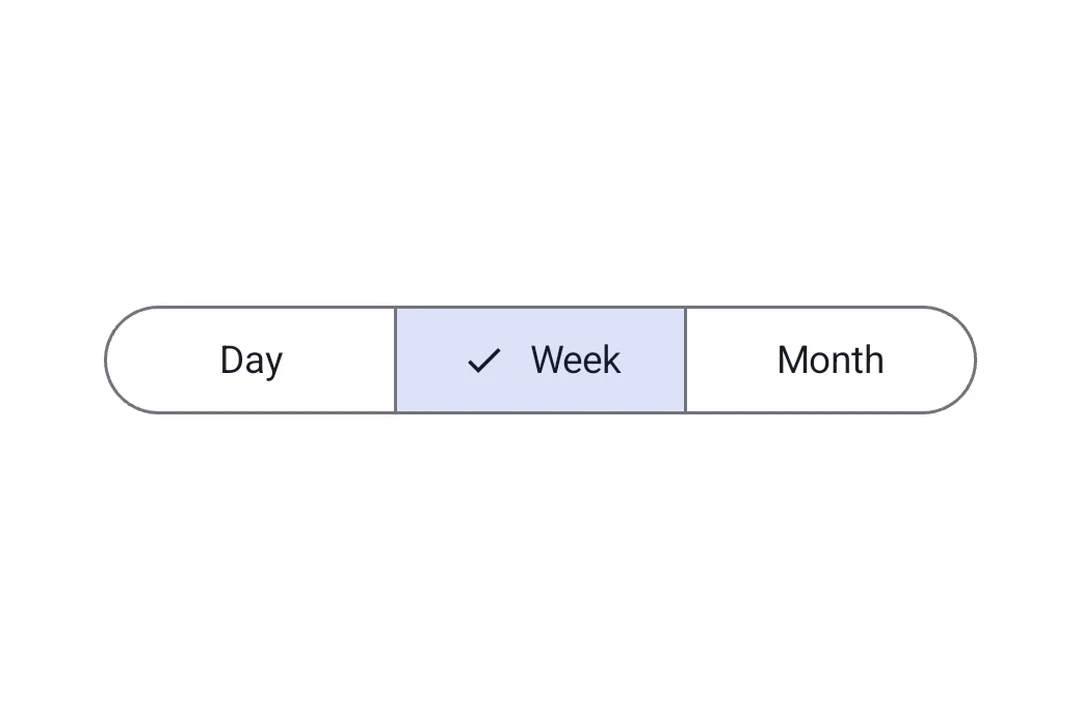
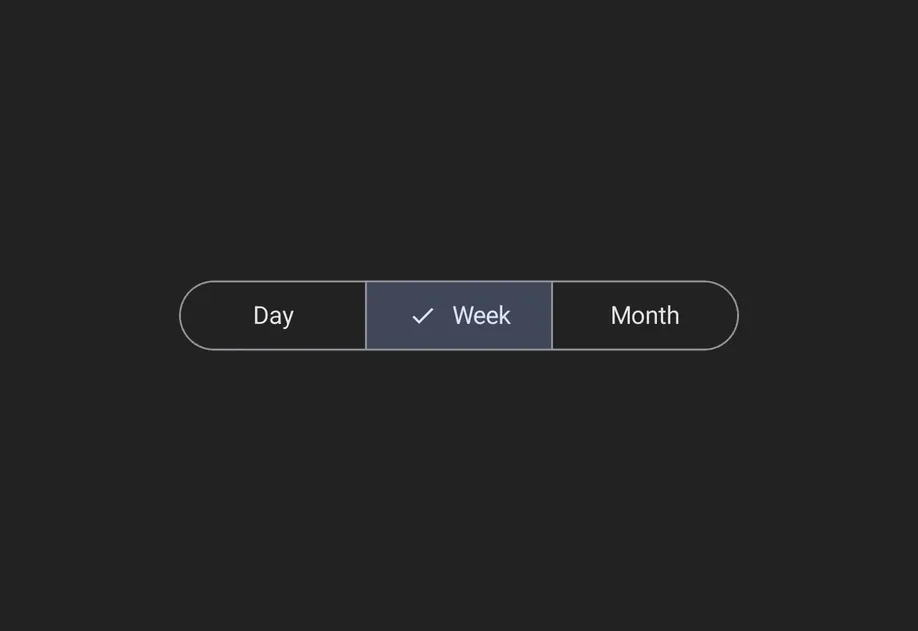
SegmentedButton Jetpack Compose 分段按钮组件,用于单选或多选选择。
Recommended version:
~57.0.22
分段按钮让应用用户从一小组并排显示的选项中进行选择。它们对应官方的 Jetpack Compose Segmented Button API。
🌐 Segmented buttons let app users choose from a small set of options displayed side by side in a row. They map to the official Jetpack Compose Segmented Button API.
有两种容器类型:
🌐 There are two container types:
SingleChoiceSegmentedButtonRowMultiChoiceSegmentedButtonRow
安装
🌐 Installation
- npx expo install @expo/ui
- yarn expo install @expo/ui
- pnpm expo install @expo/ui
- bun expo install @expo/ui
If you are installing this in an existing React Native app , make sure to install expo in your project.
用法
🌐 Usage
单选分段按钮
🌐 Single-choice segmented button
当一次只能激活一个选项时使用 SingleChoiceSegmentedButtonRow。每个 SegmentedButton 都接受 selected 和 onClick 属性。
🌐 Use SingleChoiceSegmentedButtonRow when only one option can be active at a time. Each SegmentedButton takes selected and onClick props.
import { useState } from 'react' ;
import {
Host ,
SingleChoiceSegmentedButtonRow ,
SegmentedButton ,
Text ,
} from '@expo/ui/jetpack-compose' ;
export default function SingleChoiceExample ( ) {
const [ selectedIndex, setSelectedIndex] = useState ( 0 ) ;
const options = [ 'Day' , 'Week' , 'Month' , 'Year' ] ;
return (
< Host matchContents >
< SingleChoiceSegmentedButtonRow >
{ options. map ( ( label, index) => (
< SegmentedButton key = { label} selected = { index === selectedIndex} onClick = { ( ) => setSelectedIndex ( index) } >
< SegmentedButton.Label >
< Text > { label} </ Text >
</ SegmentedButton.Label >
</ SegmentedButton > ) ) }
</ SingleChoiceSegmentedButtonRow >
</ Host > ) ;
}
多选分段按钮
🌐 Multi-choice segmented button
当多个选项可以独立切换时使用 MultiChoiceSegmentedButtonRow。每个 SegmentedButton 接收 checked 和 onCheckedChange 属性。
🌐 Use MultiChoiceSegmentedButtonRow when multiple options can be toggled independently. Each SegmentedButton takes checked and onCheckedChange props.
import { useState } from 'react' ;
import {
Host ,
MultiChoiceSegmentedButtonRow ,
SegmentedButton ,
Text ,
} from '@expo/ui/jetpack-compose' ;
export default function MultiChoiceExample ( ) {
const [ checkedItems, setCheckedItems] = useState ( [
false ,
false ,
false ,
false ,
] ) ;
const options = [ 'Wi-Fi' , 'Bluetooth' , 'NFC' , 'GPS' ] ;
return (
< Host matchContents = { { vertical: true } } style = { { width: '100%' } } >
< MultiChoiceSegmentedButtonRow >
{ options. map ( ( label, index) => (
< SegmentedButton key = { label} checked = { checkedItems[ index] } onCheckedChange = { checked => {
setCheckedItems ( prev => {
const next = [ ... prev] ;
next[ index] = checked;
return next;
} ) ;
} } >
< SegmentedButton.Label >
< Text > { label} </ Text >
</ SegmentedButton.Label >
</ SegmentedButton > ) ) }
</ MultiChoiceSegmentedButtonRow >
</ Host > ) ;
}
自定义颜色
🌐 Custom colors
在 SegmentedButton 上使用 colors 属性来自定义其在激活、未激活和禁用状态下的外观。
🌐 Use the colors prop on SegmentedButton to customize its appearance across active, inactive, and disabled states.
import { useState } from 'react' ;
import {
Host ,
SingleChoiceSegmentedButtonRow ,
SegmentedButton ,
Text ,
} from '@expo/ui/jetpack-compose' ;
export default function CustomColorsExample ( ) {
const [ selectedIndex, setSelectedIndex] = useState ( 0 ) ;
const options = [ '$' , '$$' , '$$$' , '$$$$' ] ;
return (
< Host matchContents >
< SingleChoiceSegmentedButtonRow >
{ options. map ( ( label, index) => (
< SegmentedButton key = { label} selected = { index === selectedIndex} onClick = { ( ) => setSelectedIndex ( index) } colors = { {
activeContainerColor: '#6200EE' ,
activeContentColor: '#FFFFFF' ,
} } >
< SegmentedButton.Label >
< Text > { label} </ Text >
</ SegmentedButton.Label >
</ SegmentedButton > ) ) }
</ SingleChoiceSegmentedButtonRow >
</ Host > ) ;
}
应用接口
🌐 API
import {
SingleChoiceSegmentedButtonRow ,
MultiChoiceSegmentedButtonRow ,
SegmentedButton ,
} from '@expo/ui/jetpack-compose' ;
Components Type: React.Element < MultiChoiceSegmentedButtonRowProps >
A row container for multi-choice SegmentedButton children.
Maps to Material 3 MultiChoiceSegmentedButtonRow.
MultiChoiceSegmentedButtonRowProps
SegmentedButton children.
Optional • Type: ModifierConfig[]
Modifiers for the component.
Type: React.Element < SegmentedButtonProps >
A Material 3 segmented button. Must be used inside a SingleChoiceSegmentedButtonRow
or MultiChoiceSegmentedButtonRow.
Optional • Type: boolean
Whether the button is currently checked (used inside MultiChoiceSegmentedButtonRow).
Optional • Type:
ReactNode Children containing a Label slot.
Colors for the button in different states.
Optional • Type: boolean • Default: true
Whether the button is enabled.
Optional • Type: ModifierConfig[]
Modifiers for the component.
Optional • Type: ( checked: boolean ) => void
Callback that is called when the checked state changes (used inside MultiChoiceSegmentedButtonRow).
Optional • Type: ( ) => void
Callback that is called when the button is clicked (used inside SingleChoiceSegmentedButtonRow).
Optional • Type: boolean
Whether the button is currently selected (used inside SingleChoiceSegmentedButtonRow).
Type: React.Element < SingleChoiceSegmentedButtonRowProps >
A row container for single-choice SegmentedButton children.
Maps to Material 3 SingleChoiceSegmentedButtonRow.
SingleChoiceSegmentedButtonRowProps
SegmentedButton children.
Optional • Type: ModifierConfig[]
Modifiers for the component.
Types Colors for the segmented button in different states.