This documentation is available as Markdown for AI agents and LLMs. See the full Markdown index or append .md to any documentation URL.

BottomSheet

一个从屏幕底部滑出的模态面板。

Android
iOS
Web
Included in Expo Go
Recommended version:
~58.0.15

一个从屏幕底部滑出的模态面板。面板的可见性是可控的——通过 React 状态切换 isPresented,并可以从 onDismiss 关闭(当用户向下滑动或点击遮罩时调用)。

🌐 A modal sheet that slides up from the bottom of the screen. The sheet's visibility is controlled — toggle isPresented from React state and dismiss it from onDismiss (called when the user swipes down or taps the overlay).

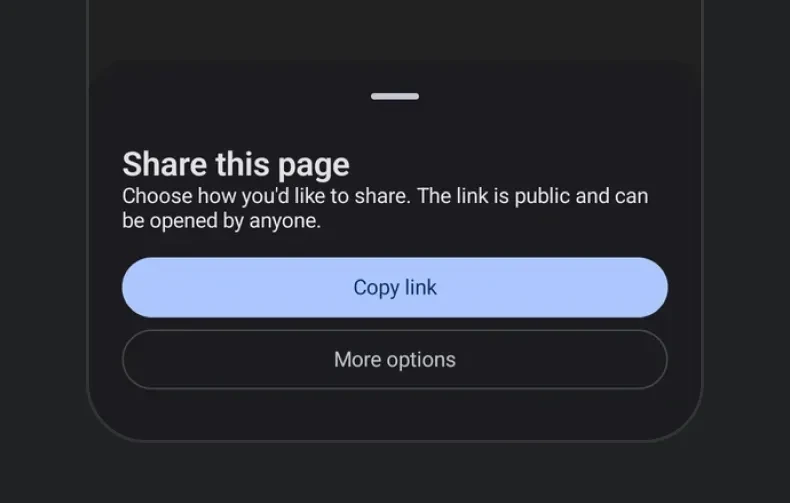
Modal bottom sheet with title, description, and action buttonsModal bottom sheet with title, description, and action buttons

安装

🌐 Installation

Terminal
- npx expo install @expo/ui
- yarn expo install @expo/ui
- pnpm expo install @expo/ui
- bun expo install @expo/ui

If you are installing this in an existing React Native app, make sure to install expo in your project.

用法

🌐 Usage

基本底部面板

🌐 Basic bottom sheet

BottomSheetExample.tsx
import { useState } from 'react'; import { useColorScheme } from 'react-native'; import { Host, Column, Button, BottomSheet, Text } from '@expo/ui'; export default function BottomSheetExample() { const [isPresented, setIsPresented] = useState(false); const colorScheme = useColorScheme(); const ink = { color: colorScheme === 'dark' ? '#FFFFFF' : '#000000' }; return ( <> <Host matchContents> <Button label="Open sheet" onPress={() => setIsPresented(true)} /> </Host> <BottomSheet isPresented={isPresented} onDismiss={() => setIsPresented(false)}> <Column spacing={12}> <Text textStyle={{ ...ink, fontSize: 18, fontWeight: '700' }}>Sheet contents</Text> <Text textStyle={ink}>Drag down or tap the overlay to dismiss.</Text> <Button label="Close" onPress={() => setIsPresented(false)} /> </Column> </BottomSheet> </> ); }

隐藏拖动指示器

🌐 Hiding the drag indicator

对于没有把手的板材,请传入 showDragIndicator={false}。

🌐 Pass showDragIndicator={false} for sheets without a handle.

BottomSheetNoIndicatorExample.tsx
import { useState } from 'react'; import { useColorScheme } from 'react-native'; import { Host, Button, BottomSheet, Text } from '@expo/ui'; export default function BottomSheetNoIndicatorExample() { const [isPresented, setIsPresented] = useState(false); const colorScheme = useColorScheme(); const ink = { color: colorScheme === 'dark' ? '#FFFFFF' : '#000000' }; return ( <> <Host matchContents> <Button label="Open" onPress={() => setIsPresented(true)} /> </Host> <BottomSheet isPresented={isPresented} onDismiss={() => setIsPresented(false)} showDragIndicator={false}> <Text textStyle={ink}>No drag handle.</Text> </BottomSheet> </> ); }

内容填充

🌐 Content padding

默认情况下,底板会内嵌其内容。传入 contentPadding 可以改变这种内嵌 — 0 允许行、图片或分隔线延伸到底板边缘。

🌐 The sheet insets its content by default. Pass contentPadding to change that inset — 0 lets a row, image, or divider reach the sheet's edges.

BottomSheetContentPaddingExample.tsx
import { useState } from 'react'; import { Host, BottomSheet, Button, Column, Text } from '@expo/ui'; export default function BottomSheetContentPaddingExample() { const [isPresented, setIsPresented] = useState(false); return ( <> <Host matchContents> <Button label="Open" onPress={() => setIsPresented(true)} /> </Host> <BottomSheet isPresented={isPresented} onDismiss={() => setIsPresented(false)} contentPadding={0}> <Column> <Column style={{ backgroundColor: '#0a84ff', padding: 16 }}> <Text textStyle={{ color: '#FFFFFF' }}>This banner reaches the sheet's edge.</Text> </Column> <Button label="Close" onPress={() => setIsPresented(false)} /> </Column> </BottomSheet> </> ); }

吸附点

🌐 Snap points

传入 snapPoints 以让用户在多个停靠高度之间拖动底部弹出层。你可以使用语义值 'half' 和 'full' 来实现跨平台一致性。{ fraction } 和 { height } 形式在 iOS 和网页上都能准确支持。

🌐 Pass snapPoints to let the user drag the sheet between multiple resting heights. You can use the semantic values 'half' and 'full' for cross-platform parity. The { fraction } and { height } forms are honored precisely on iOS and web.

当表格内容可能比最小吸附点更高时,将其封装在 ScrollView 中,以便溢出内容能够正确滚动。

🌐 When sheet content can be taller than the smallest snap point, wrap it in a ScrollView so the overflow scrolls correctly.

BottomSheetSnapPointsExample.tsx
import { useState } from 'react'; import { useColorScheme } from 'react-native'; import { Host, BottomSheet, Button, Column, ScrollView, Text } from '@expo/ui'; export default function BottomSheetSnapPointsExample() { const [isPresented, setIsPresented] = useState(false); const colorScheme = useColorScheme(); const ink = { color: colorScheme === 'dark' ? '#FFFFFF' : '#000000' }; return ( <> <Host matchContents> <Button label="Open" onPress={() => setIsPresented(true)} /> </Host> <BottomSheet isPresented={isPresented} onDismiss={() => setIsPresented(false)} snapPoints={['half', 'full']}> <ScrollView> <Column spacing={12}> <Text textStyle={{ ...ink, fontSize: 20, fontWeight: '700' }}>Half / full sheet</Text> <Text textStyle={ink}>Drag the sheet between half and full screen height.</Text> </Column> </ScrollView> </BottomSheet> </> ); }

可滚动的 React Native 内容

🌐 Scrollable React Native content

底部弹出层支持作为子组件放入 React Native 列表,比如 FlatList(或者像 FlashList 或 Legend List 这样的高性能列表),前提是它被封装在 RNHostView 里面。snapPoints 用来设置弹出层的高度,列表会在这个高度内滚动。有了 nestedScrollEnabled,列表会先滚动自己的内容;当滚动到顶部时,剩下的拖动才会移动弹出层。

🌐 The bottom sheet supports a React Native list such as FlatList (or a high-performance list like FlashList or Legend List) as a child when wrapped in RNHostView. snapPoints sizes the sheet, and the list scrolls within that height. With nestedScrollEnabled, the list scrolls its own content first; once it reaches the top edge, the remaining drag moves the sheet.

BottomSheetScrollableExample.tsx
import { useState } from 'react'; import { FlatList, Text, useColorScheme } from 'react-native'; import { Host, BottomSheet, Button, RNHostView } from '@expo/ui'; const DATA = Array.from({ length: 50 }, (_, i) => `Item ${i + 1}`); export default function BottomSheetScrollableExample() { const [isPresented, setIsPresented] = useState(false); const colorScheme = useColorScheme(); const ink = { color: colorScheme === 'dark' ? '#FFFFFF' : '#000000' }; return ( <> <Host matchContents> <Button label="Open" onPress={() => setIsPresented(true)} /> </Host> <BottomSheet isPresented={isPresented} onDismiss={() => setIsPresented(false)} snapPoints={['half', 'full']}> <RNHostView> <FlatList nestedScrollEnabled style={{ flex: 1 }} data={DATA} keyExtractor={item => item} renderItem={({ item }) => <Text style={[ink, { padding: 16 }]}>{item}</Text>} /> </RNHostView> </BottomSheet> </> ); }

应用接口

🌐 API

import { BottomSheet } from '@expo/ui';

No API data file found, sorry!