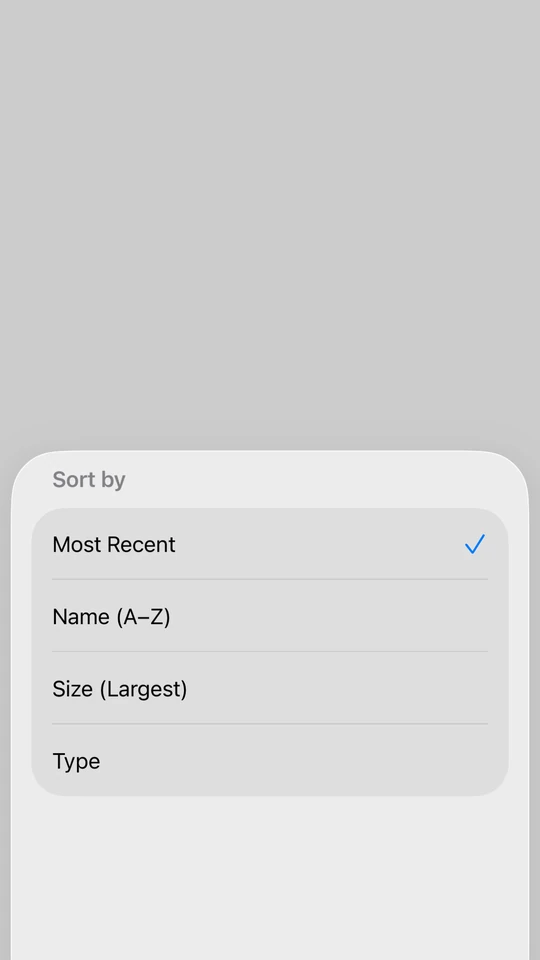
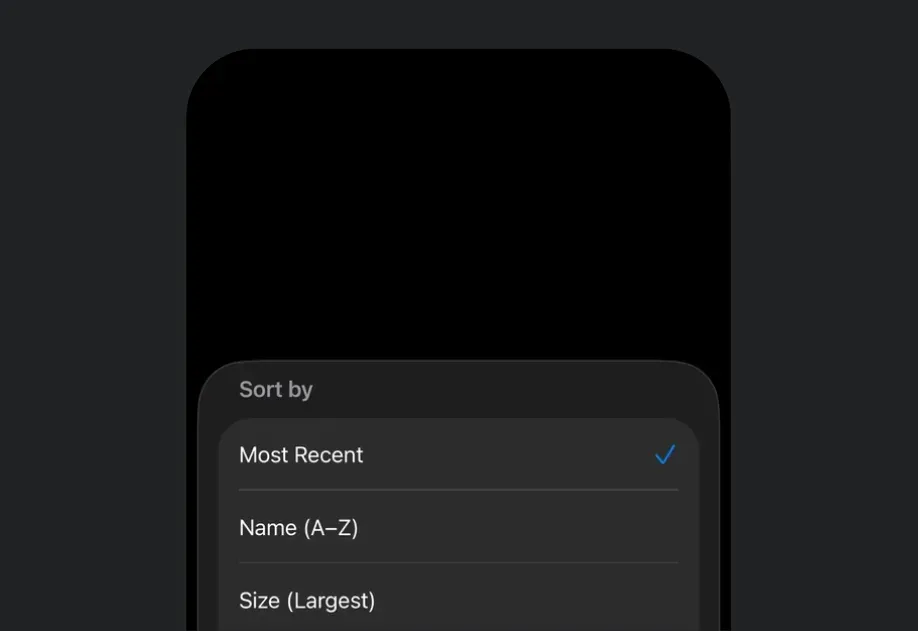
This documentation is available as Markdown for AI agents and LLMs. See the full Markdown index or append .md to any documentation URL.
BottomSheet 一个 SwiftUI 底部弹出组件,用于从屏幕底部显示内容。
Recommended version:
~57.0.22
信息 有关跨平台使用,请参阅通用 BottomSheet
Expo UI BottomSheet 与官方 SwiftUI sheet API 相匹配,并从屏幕底部渲染内容。
安装
🌐 Installation
- npx expo install @expo/ui
- yarn expo install @expo/ui
- pnpm expo install @expo/ui
- bun expo install @expo/ui
If you are installing this in an existing React Native app , make sure to install expo in your project.
用法
🌐 Usage
基本底部面板
🌐 Basic bottom sheet
把用来打开底板的控件作为 anchor 属性传入。子元素就是底板的内容。
🌐 Pass the control that opens the sheet as the anchor prop. The children are the sheet's content.
BasicBottomSheetExample.tsx import { useState } from 'react' ;
import {
Host ,
BottomSheet ,
Button ,
Text ,
VStack ,
} from '@expo/ui/swift-ui' ;
export default function BasicBottomSheetExample ( ) {
const [ isPresented, setIsPresented] = useState ( false ) ;
return (
< Host style = { { flex: 1 } } >
< VStack >
< BottomSheet isPresented = { isPresented} onIsPresentedChange = { setIsPresented} anchor = {
< Button label = " Open sheet" onPress = { ( ) => setIsPresented ( true ) } /> } >
< Text > Hello, world! </ Text >
</ BottomSheet >
</ VStack >
</ Host > ) ;
}
将 React Native 视图作为锚点
🌐 React Native view as an anchor
锚点可以是一个 React Native 视图。用 RNHostView
🌐 The anchor can be a React Native view. Wrap it in RNHostView
BottomSheetRNAnchorExample.tsx import { useState } from 'react' ;
import { Pressable , Text as RNText } from 'react-native' ;
import {
Host ,
BottomSheet ,
Button ,
RNHostView ,
Text ,
VStack ,
} from '@expo/ui/swift-ui' ;
export default function BottomSheetRNAnchorExample ( ) {
const [ isPresented, setIsPresented] = useState ( false ) ;
return (
< Host style = { { flex: 1 } } >
< VStack >
< BottomSheet isPresented = { isPresented} onIsPresentedChange = { setIsPresented} fitToContents
anchor = {
< RNHostView matchContents >
< Pressable onPress = { ( ) => setIsPresented ( true ) } style = { {
backgroundColor: '#007AFF' ,
padding: 12 ,
borderRadius: 8 ,
alignSelf: 'flex-start' ,
} } >
< RNText style = { { color: 'white' , fontWeight: '600' } } >
Open sheet
</ RNText >
</ Pressable >
</ RNHostView > } >
< VStack >
< Text > Opened from a React Native anchor. </ Text >
< Button label = " Close" onPress = { ( ) => setIsPresented ( false ) } />
</ VStack >
</ BottomSheet >
</ VStack >
</ Host > ) ;
}
适合内容的底部表单
🌐 Bottom sheet that fits content
使用 fitToContents
🌐 Use the fitToContents
BottomSheetFitsContentExample.tsx import { useState } from 'react' ;
import {
Host ,
BottomSheet ,
Button ,
Text ,
VStack ,
} from '@expo/ui/swift-ui' ;
export default function BottomSheetFitsContentExample ( ) {
const [ isPresented, setIsPresented] = useState ( false ) ;
return (
< Host style = { { flex: 1 } } >
< VStack >
< BottomSheet isPresented = { isPresented} onIsPresentedChange = { setIsPresented} fitToContents
anchor = {
< Button label = " Open sheet" onPress = { ( ) => setIsPresented ( true ) } /> } >
< VStack >
< Text >
This sheet automatically sizes to fit its content.
</ Text >
< Button label = " Close" onPress = { ( ) => setIsPresented ( false ) } />
</ VStack >
</ BottomSheet >
</ VStack >
</ Host > ) ;
}
自定义背景颜色
🌐 Custom background color
默认情况下,表单使用系统的半透明材质背景(iOS 26 上的液态玻璃)。要改为用纯色填充表单,可以在 Group 上使用 presentationBackground
🌐 By default, a sheet uses the system's translucent material background (Liquid Glass on iOS 26). Use the presentationBackgroundGroup to paint the sheet with a solid color instead, which also opts the sheet out of that translucent material.
信息 在表格内容上,推荐使用 presentationBackground 而不是 background 修饰器。background 位于内容自身背景的 后面 ,所以 Form 或 List 会覆盖它,并且当表格在各个固定位置之间移动时,颜色显示不一致。presentationBackground 给表格表面本身上色,所以在每个固定位置上都保持一致。当内容是 Form 或 List 时,也要添加 scrollContentBackground('hidden')
BottomSheetBackgroundColorExample.tsx import { useState } from 'react' ;
import {
Host ,
BottomSheet ,
Button ,
Group ,
Text ,
VStack ,
} from '@expo/ui/swift-ui' ;
import {
presentationBackground,
presentationDetents,
padding,
foregroundStyle,
} from '@expo/ui/swift-ui/modifiers' ;
export default function BottomSheetBackgroundColorExample ( ) {
const [ isPresented, setIsPresented] = useState ( false ) ;
return (
< Host style = { { flex: 1 } } >
< VStack >
< BottomSheet isPresented = { isPresented} onIsPresentedChange = { setIsPresented} anchor = {
< Button label = " Open sheet" onPress = { ( ) => setIsPresented ( true ) } /> } >
< Group modifiers = { [
presentationDetents ( [ 'medium' , 'large' ] ) ,
presentationBackground ( '#ffffff' ) ,
] } >
< VStack modifiers = { [ padding ( { all: 20 } ) ] } >
< Text modifiers = { [ foregroundStyle ( '#000000' ) ] } >
Solid white sheet background.
</ Text >
< Button label = " Close" onPress = { ( ) => setIsPresented ( false ) } />
</ VStack >
</ Group >
</ BottomSheet >
</ VStack >
</ Host > ) ;
}
配色方案
🌐 Color scheme
默认情况下,表单会跟随设备的浅色或深色外观。要改用你应用的外观,请将 preferredColorSchemeGroup。Host colorScheme 属性会改变表单的内容,但不会改变它的背景。
🌐 A sheet follows the device's light or dark appearance by default. To use your app's appearance instead, add the preferredColorSchemeGroup. The Host colorScheme prop changes the sheet's content but not its background.
BottomSheetColorSchemeExample.tsx import { useState } from 'react' ;
import {
Host ,
BottomSheet ,
Button ,
Group ,
Text ,
VStack ,
} from '@expo/ui/swift-ui' ;
import {
padding,
preferredColorScheme,
presentationDetents,
} from '@expo/ui/swift-ui/modifiers' ;
export default function BottomSheetColorSchemeExample ( ) {
const [ isPresented, setIsPresented] = useState ( false ) ;
const appearance = 'dark' ;
return (
< Host style = { { flex: 1 } } colorScheme = { appearance} >
< VStack >
< BottomSheet isPresented = { isPresented} onIsPresentedChange = { setIsPresented} anchor = {
< Button label = " Open sheet" onPress = { ( ) => setIsPresented ( true ) } /> } >
< Group modifiers = { [
presentationDetents ( [ 'medium' ] ) ,
preferredColorScheme ( appearance) ,
] } >
< VStack modifiers = { [ padding ( { all: 20 } ) ] } >
< Text > This sheet is always dark. </ Text >
</ VStack >
</ Group >
</ BottomSheet >
</ VStack >
</ Host > ) ;
}
带展示止点的底部表单
🌐 Bottom sheet with presentation detents
在 Group 上使用 presentationDetents
🌐 Use the presentationDetentsGroup to control the available heights. You can use:
'medium':系统中等高度(约半屏)'large':系统大高度(全屏){ fraction: number }:屏幕高度的比例(0-1){ height: number }:固定高度(点)
BottomSheetWithDetentsExample.tsx import { useState } from 'react' ;
import {
Host ,
BottomSheet ,
Button ,
Group ,
Text ,
VStack ,
} from '@expo/ui/swift-ui' ;
import { presentationDetents } from '@expo/ui/swift-ui/modifiers' ;
export default function BottomSheetWithDetentsExample ( ) {
const [ isPresented, setIsPresented] = useState ( false ) ;
return (
< Host style = { { flex: 1 } } >
< VStack >
< BottomSheet isPresented = { isPresented} onIsPresentedChange = { setIsPresented} anchor = {
< Button label = " Open sheet" onPress = { ( ) => setIsPresented ( true ) } /> } >
< Group modifiers = { [
presentationDetents ( [
'medium' ,
'large' ,
{ fraction: 0.3 } ,
{ height: 200 } ,
] ) ,
] } >
< Text > This sheet can snap to multiple heights. </ Text >
</ Group >
</ BottomSheet >
</ VStack >
</ Host > ) ;
}
带有止动选择跟踪的底部面板
🌐 Bottom sheet with detent selection tracking
将 selection 和 onSelectionChange 选项传递给 presentationDetents
🌐 Pass selection and onSelectionChange options to presentationDetents
BottomSheetWithDetentSelectionExample.tsx import { useState } from 'react' ;
import {
Host ,
BottomSheet ,
Button ,
List ,
Section ,
Text ,
VStack ,
Group ,
} from '@expo/ui/swift-ui' ;
import {
presentationDetents,
presentationDragIndicator,
foregroundStyle,
} from '@expo/ui/swift-ui/modifiers' ;
import type { PresentationDetent } from '@expo/ui/swift-ui/modifiers' ;
export default function BottomSheetWithDetentSelectionExample ( ) {
const [ isPresented, setIsPresented] = useState ( false ) ;
const detents: PresentationDetent [ ] = [
{ height: 300 } ,
{ fraction: 0.3 } ,
'medium' ,
'large' ,
] ;
const [ selectedDetent, setSelectedDetent] =
useState < PresentationDetent> ( 'medium' ) ;
const formatDetent = ( detent: PresentationDetent ) : string => {
if ( typeof detent === 'string' ) return detent;
if ( 'fraction' in detent) return ` Fraction ${ detent. fraction} ` ;
return ` Height ${ detent. height} ` ;
} ;
return (
< Host style = { { flex: 1 } } >
< VStack >
< BottomSheet isPresented = { isPresented} onIsPresentedChange = { setIsPresented} anchor = {
< Button label = " Show sheet" onPress = { ( ) => setIsPresented ( true ) } /> } >
< Group modifiers = { [
presentationDetents ( detents, {
selection: selectedDetent,
onSelectionChange: setSelectedDetent,
} ) ,
presentationDragIndicator ( 'visible' ) ,
] } >
< List >
< Section title = " 改变卡位" >
< Button label = " Height 300" onPress = { ( ) => setSelectedDetent ( { height: 300 } ) } />
< Button label = " Fraction 0.3" onPress = { ( ) =>
setSelectedDetent ( { fraction: 0.3 } )
} />
< Button label = " Medium" onPress = { ( ) => setSelectedDetent ( 'medium' ) } />
< Button label = " Large" onPress = { ( ) => setSelectedDetent ( 'large' ) } />
</ Section >
< Section title = " 当前" >
< Text modifiers = { [ foregroundStyle ( 'secondaryLabel' ) ] } >
{ formatDetent ( selectedDetent) }
</ Text >
</ Section >
</ List >
</ Group >
</ BottomSheet >
</ VStack >
</ Host > ) ;
}
带有背景交互的底部面板
🌐 Bottom sheet with background interaction
使用 presentationBackgroundInteraction
🌐 Use the presentationBackgroundInteraction
BottomSheetWithBackgroundInteractionExample.tsx import { useState } from 'react' ;
import {
Host ,
BottomSheet ,
Button ,
Group ,
Text ,
VStack ,
} from '@expo/ui/swift-ui' ;
import {
presentationDetents,
presentationBackgroundInteraction,
} from '@expo/ui/swift-ui/modifiers' ;
export default function BottomSheetWithBackgroundInteractionExample ( ) {
const [ isPresented, setIsPresented] = useState ( false ) ;
return (
< Host style = { { flex: 1 } } >
< VStack >
< BottomSheet isPresented = { isPresented} onIsPresentedChange = { setIsPresented} anchor = {
< Button label = " Open sheet" onPress = { ( ) => setIsPresented ( true ) } /> } >
< Group modifiers = { [
presentationDetents ( [ 'medium' , 'large' ] ) ,
presentationBackgroundInteraction ( {
type: 'enabledUpThrough' ,
detent: 'medium' ,
} ) ,
] } >
< Text >
Interact with content behind when at medium height.
</ Text >
</ Group >
</ BottomSheet >
</ VStack >
</ Host > ) ;
}
不可解除的底部表单
🌐 Non-dismissible bottom sheet
使用 interactiveDismissDisabled
🌐 Use the interactiveDismissDisabled
NonDismissibleBottomSheetExample.tsx import { useState } from 'react' ;
import {
Host ,
BottomSheet ,
Button ,
Group ,
Text ,
VStack ,
} from '@expo/ui/swift-ui' ;
import { interactiveDismissDisabled } from '@expo/ui/swift-ui/modifiers' ;
export default function NonDismissibleBottomSheetExample ( ) {
const [ isPresented, setIsPresented] = useState ( false ) ;
return (
< Host style = { { flex: 1 } } >
< VStack >
< BottomSheet isPresented = { isPresented} onIsPresentedChange = { setIsPresented} anchor = {
< Button label = " Open sheet" onPress = { ( ) => setIsPresented ( true ) } /> } >
< Group modifiers = { [ interactiveDismissDisabled ( ) ] } >
< VStack >
< Text >
This sheet cannot be dismissed by swiping.
</ Text >
< Button label = " Close" onPress = { ( ) => setIsPresented ( false ) } />
</ VStack >
</ Group >
</ BottomSheet >
</ VStack >
</ Host > ) ;
}
带有 React Native 内容的底部面板
🌐 Bottom sheet with React Native content
使用 RNHostView 在底部弹出层中嵌入 React Native 组件。设置 matchContents 以自动调整宿主视图的大小以适应其内容。
🌐 Use RNHostView to embed React Native components inside the bottom sheet. Set matchContents to automatically size the host view to fit its content.
BottomSheetWithRNContentExample.tsx import { useState } from 'react' ;
import {
PlatformColor ,
Pressable ,
Text as RNText ,
View ,
} from 'react-native' ;
import {
Host ,
BottomSheet ,
Button ,
Group ,
RNHostView ,
VStack ,
} from '@expo/ui/swift-ui' ;
import { presentationDragIndicator } from '@expo/ui/swift-ui/modifiers' ;
export default function BottomSheetWithRNContentExample ( ) {
const [ isPresented, setIsPresented] = useState ( false ) ;
const [ counter, setCounter] = useState ( 0 ) ;
return (
< Host style = { { flex: 1 } } >
< VStack >
< BottomSheet isPresented = { isPresented} onIsPresentedChange = { setIsPresented} fitToContents
anchor = {
< Button label = " Open sheet" onPress = { ( ) => setIsPresented ( true ) } /> } >
< Group modifiers = { [ presentationDragIndicator ( 'visible' ) ] } >
< RNHostView matchContents >
< View style = { { padding: 24 } } >
< RNText style = { {
fontSize: 18 ,
fontWeight: 'bold' ,
marginBottom: 8 ,
color: PlatformColor ( 'label' ) ,
} } >
React Native Content
</ RNText >
< RNText style = { { color: '#666' , marginBottom: 16 } } >
Counter: { counter}
</ RNText >
< Pressable style = { {
backgroundColor: '#007AFF' ,
padding: 12 ,
borderRadius: 8 ,
alignItems: 'center' ,
marginBottom: 12 ,
} } onPress = { ( ) => setCounter ( counter + 1 ) } >
< RNText style = { { color: 'white' , fontWeight: '600' } } >
Increment
</ RNText >
</ Pressable >
< Pressable style = { {
backgroundColor: '#FF3B30' ,
padding: 12 ,
borderRadius: 8 ,
alignItems: 'center' ,
} } onPress = { ( ) => setIsPresented ( false ) } >
< RNText style = { { color: 'white' , fontWeight: '600' } } >
Close
</ RNText >
</ Pressable >
</ View >
</ RNHostView >
</ Group >
</ BottomSheet >
</ VStack >
</ Host > ) ;
}
带有灵活 React Native 内容的底部弹出层
🌐 Bottom sheet with flexible React Native content
在使用带有 flex: 1 的 React Native 内容时,请在 RNHostView 上省略 matchContents 属性,并使用 presentationDetents
🌐 When using React Native content with flex: 1, omit the matchContents prop on RNHostView and use presentationDetents
BottomSheetWithFlexRNContentExample.tsx import { useState } from 'react' ;
import { Text as RNText , View } from 'react-native' ;
import {
Host ,
BottomSheet ,
Button ,
Group ,
RNHostView ,
VStack ,
} from '@expo/ui/swift-ui' ;
import {
presentationDetents,
presentationDragIndicator,
} from '@expo/ui/swift-ui/modifiers' ;
export default function BottomSheetWithFlexRNContentExample ( ) {
const [ isPresented, setIsPresented] = useState ( false ) ;
return (
< Host style = { { flex: 1 } } >
< VStack >
< BottomSheet isPresented = { isPresented} onIsPresentedChange = { setIsPresented} anchor = {
< Button label = " Open sheet" onPress = { ( ) => setIsPresented ( true ) } /> } >
< Group modifiers = { [
presentationDetents ( [ 'medium' , 'large' ] ) ,
presentationDragIndicator ( 'visible' ) ,
] } >
< RNHostView >
< View style = { {
flex: 1 ,
backgroundColor: '#007AFF' ,
padding: 24 ,
} } >
< RNText style = { {
fontSize: 18 ,
fontWeight: 'bold' ,
color: 'white' ,
} } >
Flexible React Native Content
</ RNText >
< RNText style = { { color: 'white' , marginTop: 8 } } >
This content fills the available space in the
sheet.
</ RNText >
</ View >
</ RNHostView >
</ Group >
</ BottomSheet >
</ VStack >
</ Host > ) ;
}
可滚动的 React Native 内容
🌐 Scrollable React Native content
在使用 RNHostView 的表单中嵌套一个可滚动的 React Native 列表,例如 FlatList、ScrollView,或一个高性能列表如 FlashList 或 Legend List 。使用 presentationDetents
🌐 Nest a scrollable React Native list such as FlatList, ScrollView, or a high-performance list like FlashList or Legend List inside the sheet with RNHostView. Size the sheet with presentationDetents
BottomSheetWithScrollableContentExample.tsx import { useState } from 'react' ;
import {
FlatList ,
PlatformColor ,
Text as RNText ,
View ,
} from 'react-native' ;
import {
Host ,
BottomSheet ,
Button ,
Group ,
RNHostView ,
VStack ,
} from '@expo/ui/swift-ui' ;
import {
presentationDetents,
presentationDragIndicator,
} from '@expo/ui/swift-ui/modifiers' ;
const DATA = Array . from ( { length: 50 } , ( _, i) => ` Item ${ i + 1 } ` ) ;
export default function BottomSheetWithScrollableContentExample ( ) {
const [ isPresented, setIsPresented] = useState ( false ) ;
return (
< Host style = { { flex: 1 } } >
< VStack >
< BottomSheet isPresented = { isPresented} onIsPresentedChange = { setIsPresented} anchor = {
< Button label = " Open sheet" onPress = { ( ) => setIsPresented ( true ) } /> } >
< Group modifiers = { [
presentationDetents ( [ 'medium' , 'large' ] ) ,
presentationDragIndicator ( 'visible' ) ,
] } >
< RNHostView >
< View style = { { padding: 16 } } >
< FlatList data = { DATA } keyExtractor = { item => item} renderItem = { ( { item } ) => (
< RNText style = { {
paddingVertical: 16 ,
color: PlatformColor ( 'label' ) ,
} } >
{ item}
</ RNText > ) } />
</ View >
</ RNHostView >
</ Group >
</ BottomSheet >
</ VStack >
</ Host > ) ;
}
应用接口
🌐 API
import { BottomSheet } from '@expo/ui/swift-ui' ;
Component Type: React.Element < BottomSheetProps >
BottomSheet presents content from the bottom of the screen.
Optional • Type:
ReactNode A view the sheet is anchored to, for example the Button that opens it. Rendered in place and
kept mounted, so presenting the sheet doesn't shift surrounding layout. Optional.
The sheet's content, mounted while presented and unmounted after dismiss. Wrap it in Group
to apply presentation modifiers.
Optional • Type: boolean • Default: false
When true, the sheet will automatically size itself to fit its content.
This sets the presentation detent to match the height of the children.
Type: boolean
Whether the BottomSheet is presented.
Optional • Type: ( ) => void
Callback function that is called after the BottomSheet has been fully dismissed.
Type: ( isPresented: boolean ) => void
Callback function that is called when the BottomSheet presented state changes.