This documentation is available as Markdown for AI agents and LLMs. See the full Markdown index or append .md to any documentation URL.
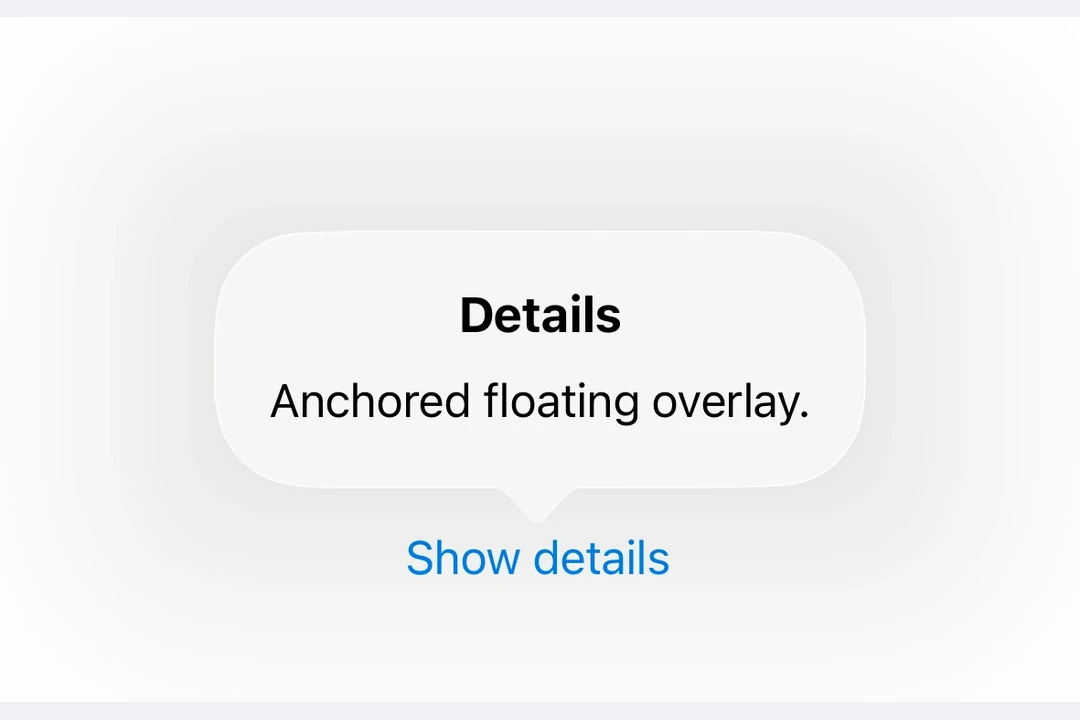
弹出框 一个用于在浮动覆盖层中显示内容的 SwiftUI 弹出组件。
Recommended version:
~57.0.22
Expo UI 弹出框与官方 SwiftUI Popover API 相匹配,并提供了一种在浮动覆盖层中渲染内容的方法,该覆盖层以触发元素为锚点。
安装
🌐 Installation
- npx expo install @expo/ui
- yarn expo install @expo/ui
- pnpm expo install @expo/ui
- bun expo install @expo/ui
If you are installing this in an existing React Native app , make sure to install expo in your project.
用法
🌐 Usage
基本弹出框
🌐 Basic popover
import { useState } from 'react' ;
import {
Host ,
Button ,
Popover ,
Text ,
VStack ,
} from '@expo/ui/swift-ui' ;
import { padding } from '@expo/ui/swift-ui/modifiers' ;
export default function BasicPopoverExample ( ) {
const [ isPresented, setIsPresented] = useState ( false ) ;
return (
< Host style = { { flex: 1 } } >
< Popover isPresented = { isPresented} onIsPresentedChange = { isPresented =>
setIsPresented ( isPresented)
} >
< Popover.Trigger >
< Button label = " Show Popover" onPress = { ( ) => setIsPresented ( true ) } />
</ Popover.Trigger >
< Popover.Content >
< VStack modifiers = { [ padding ( { all: 16 } ) ] } >
< Text > Hello from Popover! </ Text >
</ VStack >
</ Popover.Content >
</ Popover >
</ Host > ) ;
}
带有附件锚点
🌐 With attachment anchor
attachmentAnchor 属性控制弹出框附着在触发元素的位置。可用选项有:center、leading、trailing、top 和 bottom。
🌐 The attachmentAnchor prop controls where the popover attaches to the trigger element. Available options are: center, leading, trailing, top, and bottom.
AttachmentAnchorExample.tsx import { useState } from 'react' ;
import {
Host ,
Button ,
Popover ,
Text ,
VStack ,
} from '@expo/ui/swift-ui' ;
import { padding } from '@expo/ui/swift-ui/modifiers' ;
export default function AttachmentAnchorExample ( ) {
const [ isPresented, setIsPresented] = useState ( false ) ;
return (
< Host style = { { flex: 1 } } >
< Popover isPresented = { isPresented} onIsPresentedChange = { isPresented =>
setIsPresented ( isPresented)
} attachmentAnchor = " trailing" >
< Popover.Trigger >
< Button label = " Show Popover" onPress = { ( ) => setIsPresented ( true ) } />
</ Popover.Trigger >
< Popover.Content >
< VStack modifiers = { [ padding ( { all: 16 } ) ] } >
< Text > Attached to trailing edge </ Text >
</ VStack >
</ Popover.Content >
</ Popover >
</ Host > ) ;
}
带箭头边
🌐 With arrow edge
arrowEdge 属性控制弹出框箭头显示在哪一边。可选的选项有:none、leading、trailing、top 和 bottom。
🌐 The arrowEdge prop controls which edge of the popover displays the arrow. Available options are: none, leading, trailing, top, and bottom.
import { useState } from 'react' ;
import {
Host ,
Button ,
Popover ,
Text ,
VStack ,
} from '@expo/ui/swift-ui' ;
import { padding } from '@expo/ui/swift-ui/modifiers' ;
export default function ArrowEdgeExample ( ) {
const [ isPresented, setIsPresented] = useState ( false ) ;
return (
< Host style = { { flex: 1 } } >
< Popover isPresented = { isPresented} onIsPresentedChange = { isPresented =>
setIsPresented ( isPresented)
} arrowEdge = " top" >
< Popover.Trigger >
< Button label = " Show Popover" onPress = { ( ) => setIsPresented ( true ) } />
</ Popover.Trigger >
< Popover.Content >
< VStack modifiers = { [ padding ( { all: 16 } ) ] } >
< Text > Arrow on top edge </ Text >
</ VStack >
</ Popover.Content >
</ Popover >
</ Host > ) ;
}
使用 React Native 的内容
🌐 With React Native content
你可以使用 RNHostView 将 React Native 组件嵌入到弹出内容中。
🌐 You can use RNHostView to embed React Native components inside the popover content.
RNContentPopoverExample.tsx import { useState } from 'react' ;
import { Pressable , Text as RNText , View } from 'react-native' ;
import {
Host ,
Button ,
Popover ,
RNHostView ,
} from '@expo/ui/swift-ui' ;
export default function RNContentPopoverExample ( ) {
const [ isPresented, setIsPresented] = useState ( false ) ;
const [ counter, setCounter] = useState ( 0 ) ;
return (
< Host style = { { flex: 1 } } >
< Popover isPresented = { isPresented} onIsPresentedChange = { isPresented =>
setIsPresented ( isPresented)
} >
< Popover.Trigger >
< Button label = " Show RN Popover" onPress = { ( ) => setIsPresented ( true ) } />
</ Popover.Trigger >
< Popover.Content >
< RNHostView matchContents >
< View style = { { padding: 16 } } >
< RNText style = { { fontSize: 16 , fontWeight: 'bold' } } >
React Native Content
</ RNText >
< RNText style = { { color: '#666' , marginVertical: 8 } } >
Counter: { counter}
</ RNText >
< Pressable style = { {
backgroundColor: '#007AFF' ,
padding: 12 ,
borderRadius: 8 ,
alignItems: 'center' ,
} } onPress = { ( ) => setCounter ( counter + 1 ) } >
< RNText style = { { color: 'white' } } >
Increment
</ RNText >
</ Pressable >
</ View >
</ RNHostView >
</ Popover.Content >
</ Popover >
</ Host > ) ;
}
应用接口
🌐 API
import { Popover } from '@expo/ui/swift-ui' ;
Component Type: React.Element < PopoverViewProps>
Props Optional • Literal type: string • Default: 'none'
The edge of the attachmentAnchor that defines the location of the popover's arrow. The default is none, which results in the system allowing any arrow edge.
Acceptable values are: 'none' | 'top' | 'bottom' | 'leading' | 'trailing'
Optional • Literal type: string
The positioning anchor that defines the attachment point of the popover.
Acceptable values are: 'center' | 'top' | 'bottom' | 'leading' | 'trailing'
Optional • Type: boolean
Whether the popover is presented.
Optional • Type: ( isPresented: boolean ) => void
A callback that is called when the isPresented state changes.