This documentation is available as Markdown for AI agents and LLMs. See the full Markdown index or append .md to any documentation URL.

水平堆叠

用于水平布局的 SwiftUI HStack 组件。

iOS
tvOS
Included in Expo Go
Recommended version:
~57.0.22

Expo UI HStack 与官方 SwiftUI HStack API 相匹配,并将其子元素水平排列。

🌐 Expo UI HStack matches the official SwiftUI HStack API and arranges its children horizontally.

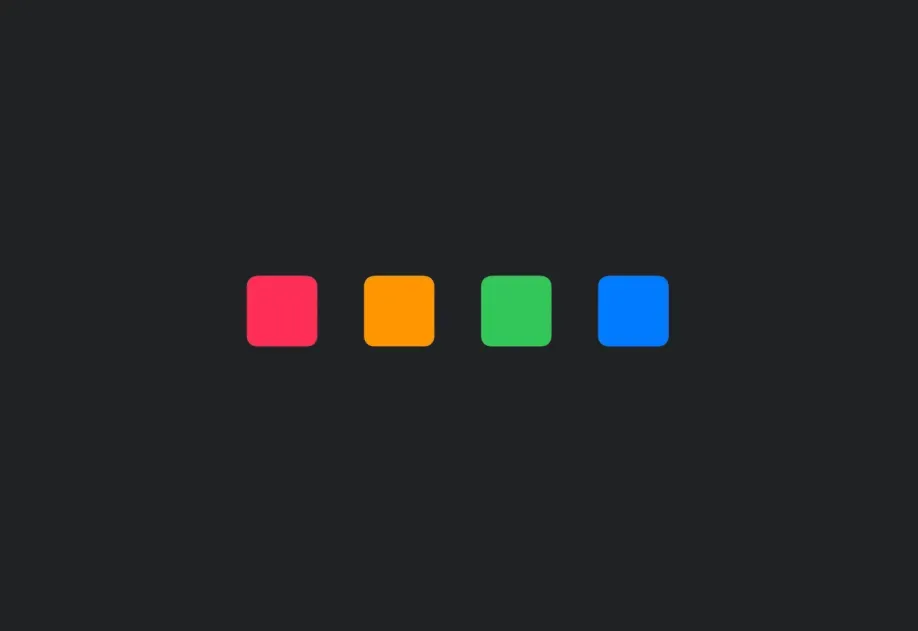
Four numbered colored rounded squares arranged horizontally in an HStackFour numbered colored rounded squares arranged horizontally in an HStack

安装

🌐 Installation

Terminal
- npx expo install @expo/ui
- yarn expo install @expo/ui
- pnpm expo install @expo/ui
- bun expo install @expo/ui

If you are installing this in an existing React Native app, make sure to install expo in your project.

用法

🌐 Usage

基本水平堆叠

🌐 Basic horizontal stack

BasicHStackExample.tsx
import { Host, HStack, Text } from '@expo/ui/swift-ui'; export default function BasicHStackExample() { return ( <Host style={{ flex: 1 }}> <HStack spacing={12}> <Text>First</Text> <Text>Second</Text> <Text>Third</Text> </HStack> </Host> ); }

带对齐

🌐 With alignment

alignment 属性控制子元素的垂直对齐方式。可用选项有:top、center、bottom、firstTextBaseline 和 lastTextBaseline。

🌐 The alignment prop controls vertical alignment of children. Available options are: top, center, bottom, firstTextBaseline, and lastTextBaseline.

HStackAlignmentExample.tsx
import { Host, HStack, Rectangle } from '@expo/ui/swift-ui'; import { frame } from '@expo/ui/swift-ui/modifiers'; export default function HStackAlignmentExample() { return ( <Host style={{ flex: 1 }}> <HStack spacing={12} alignment="top"> <Rectangle modifiers={[frame({ width: 50, height: 50 })]} /> <Rectangle modifiers={[frame({ width: 50, height: 100 })]} /> <Rectangle modifiers={[frame({ width: 50, height: 75 })]} /> </HStack> </Host> ); }

应用接口

🌐 API

import { HStack } from '@expo/ui/swift-ui';

Component

HStack

iOS
tvOS

Type: React.Element<HStackProps>

HStackProps

alignment

iOS
tvOS
Optional • Literal type: string

The vertical alignment of children within the stack.

Acceptable values are: 'center' | 'top' | 'bottom' | 'firstTextBaseline' | 'lastTextBaseline'

children

iOS
tvOS
Type: ReactNode

spacing

iOS
tvOS
Optional • Type: number

The spacing between children.