This documentation is available as Markdown for AI agents and LLMs. See the full Markdown index or append .md to any documentation URL.
挑选器
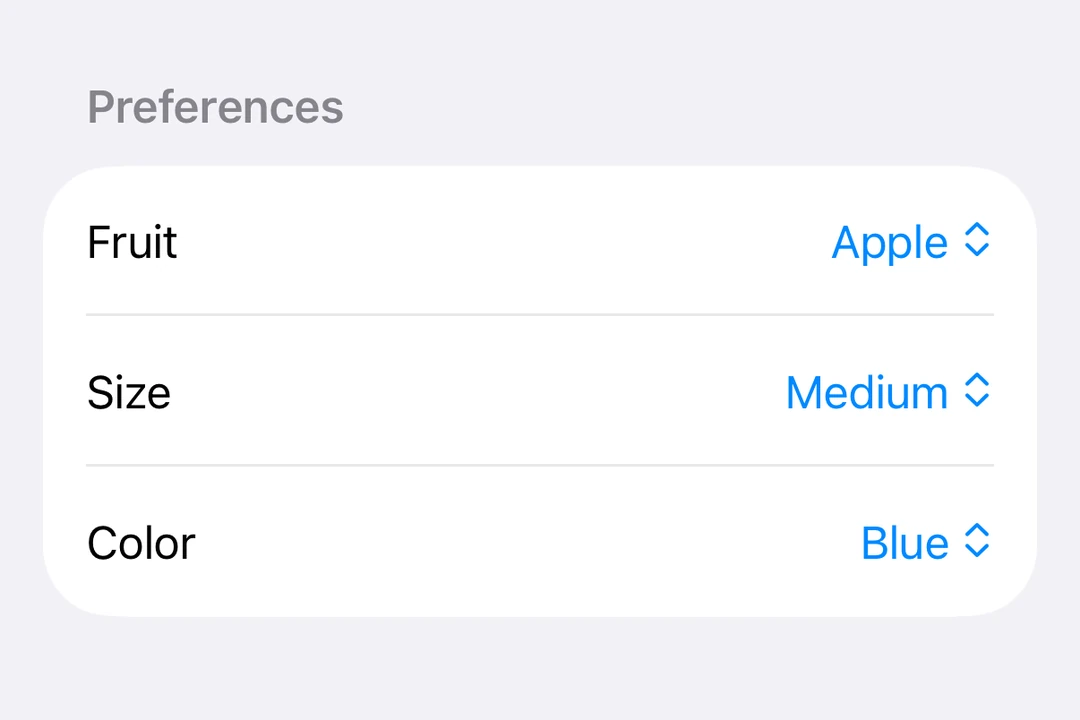
用于从列表中选择选项的 SwiftUI Picker 组件。
信息 有关跨平台使用,请参阅通用
Picker—— 它会根据平台呈现相应的原生组件。
Expo UI Picker 与官方 SwiftUI Picker API 相匹配,并通过 pickerStyle 修饰符支持所有选择器样式。
🌐 Expo UI Picker matches the official SwiftUI Picker API and supports all picker styles via the pickerStyle modifier.
安装
🌐 Installation
- npx expo install @expo/uiIf you are installing this in an existing React Native app, make sure to install expo in your project.
分段选择器
🌐 Segmented picker
import { useState } from 'react';
import { Host, Picker, Text } from '@expo/ui/swift-ui';
import { pickerStyle, tag } from '@expo/ui/swift-ui/modifiers';

const options = ['Apple', 'Banana', 'Orange'];

export default function SegmentedPickerExample() {
  const [selectedTag, setSelectedTag] = useState(options[0]);

  return (
    <Host matchContents>
      <Picker
        modifiers={[pickerStyle('segmented')]}
        label="Select a fruit"
        selection={selectedTag}
        onSelectionChange={selection => {
          setSelectedTag(selection);
        }}>
        {options.map(option => (
          <Text key={option} modifiers={[tag(option)]}>
            {option}
          </Text>
        ))}
      </Picker>
    </Host>
  );
}
菜单选择器
🌐 Menu picker
import { useState } from 'react';
import { Host, Picker, Text } from '@expo/ui/swift-ui';
import { pickerStyle, tag } from '@expo/ui/swift-ui/modifiers';

const options = ['Apple', 'Banana', 'Orange'];

export default function MenuPickerExample() {
  const [selectedTag, setSelectedTag] = useState(options[0]);

  return (
    <Host matchContents>
      <Picker
        modifiers={[pickerStyle('menu')]}
        label="Select a fruit"
        selection={selectedTag}
        onSelectionChange={selection => {
          setSelectedTag(selection);
        }}>
        {options.map(option => (
          <Text key={option} modifiers={[tag(option)]}>
            {option}
          </Text>
        ))}
      </Picker>
    </Host>
  );
}
轮式挑选器
🌐 Wheel picker
警告 Apple TV 上不提供滚轮变体。
import { useState } from 'react';
import { Host, Picker, Text } from '@expo/ui/swift-ui';
import { pickerStyle, tag } from '@expo/ui/swift-ui/modifiers';

const options = ['Apple', 'Banana', 'Orange'];

export default function WheelPickerExample() {
  const [selectedTag, setSelectedTag] = useState(options[0]);

  return (
    <Host matchContents>
      <Picker
        modifiers={[pickerStyle('wheel')]}
        label="Select a fruit"
        selection={selectedTag}
        onSelectionChange={selection => {
          setSelectedTag(selection);
        }}>
        {options.map(option => (
          <Text key={option} modifiers={[tag(option)]}>
            {option}
          </Text>
        ))}
      </Picker>
    </Host>
  );
}
应用接口
🌐 API
import { Picker } from '@expo/ui/swift-ui';
Component
Type: React.Element<PickerProps<T>>
Displays a native picker component
Example
<Picker modifiers={[pickerStyle('segmented')]}>
  <Text modifiers={[tag('option1')]}>Option 1</Text>
  <Text modifiers={[tag(0)]}>Option 3</Text>
</Picker>
React.ReactNodeThe content of the picker. You can use Text components with tag modifiers to display the options.
unionA label displayed on the picker.
Acceptable values are: string | React.ReactNode
(selection: T) => voidCallback function that is called when an option is selected.
Gets called with the selected tag value.
SFSymbolThe name of the system image (SF Symbol). For example: 'photo', 'heart.fill', 'star.circle'