This documentation is available as Markdown for AI agents and LLMs. See the full Markdown index or append .md to any documentation URL.

ExposedDropdownMenuBox

一个 Jetpack Compose ExposedDropdownMenuBox 组件,用于显示带有可自定义锚点的下拉菜单。

Android
Included in Expo Go
Recommended version:
~58.0.15

Expo UI ExposedDropdownMenuBox 与官方 Jetpack Compose ExposedDropdownMenuBox 相匹配。在锚点内容上使用 menuAnchor() 修饰符(通常是只读的 TextField),并使用 ExposedDropdownMenu 封装 DropdownMenuItem 子项。

🌐 Expo UI ExposedDropdownMenuBox matches the official Jetpack Compose ExposedDropdownMenuBox. Use the menuAnchor() modifier on the anchor content (typically a read-only TextField) and ExposedDropdownMenu to wrap DropdownMenuItem children.
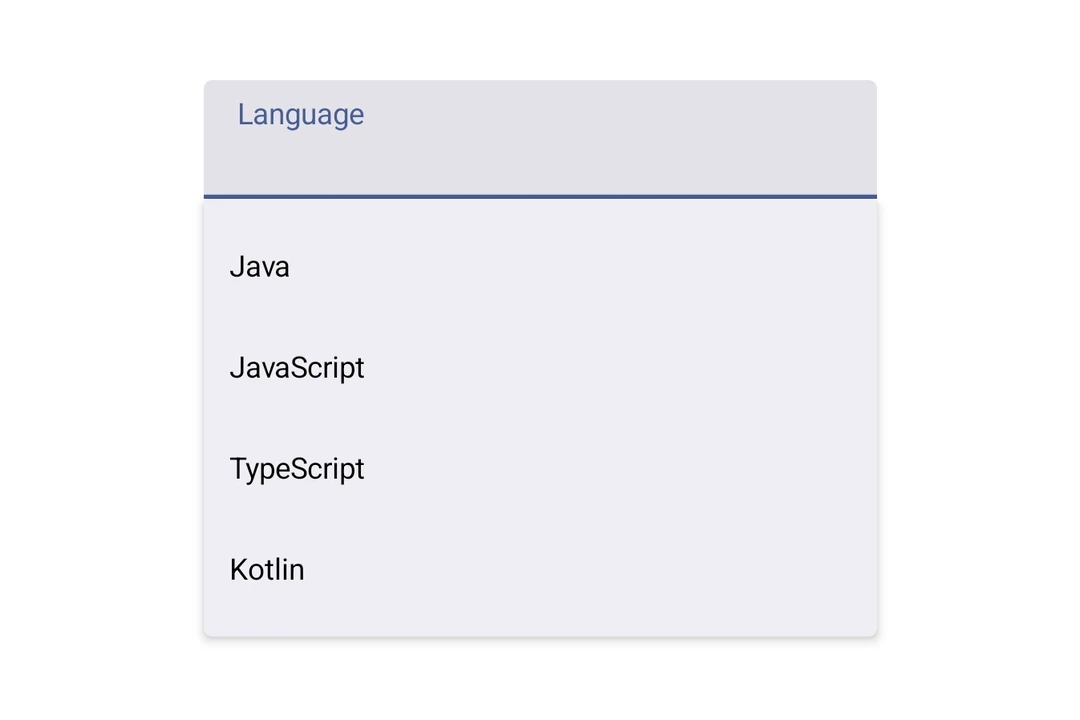
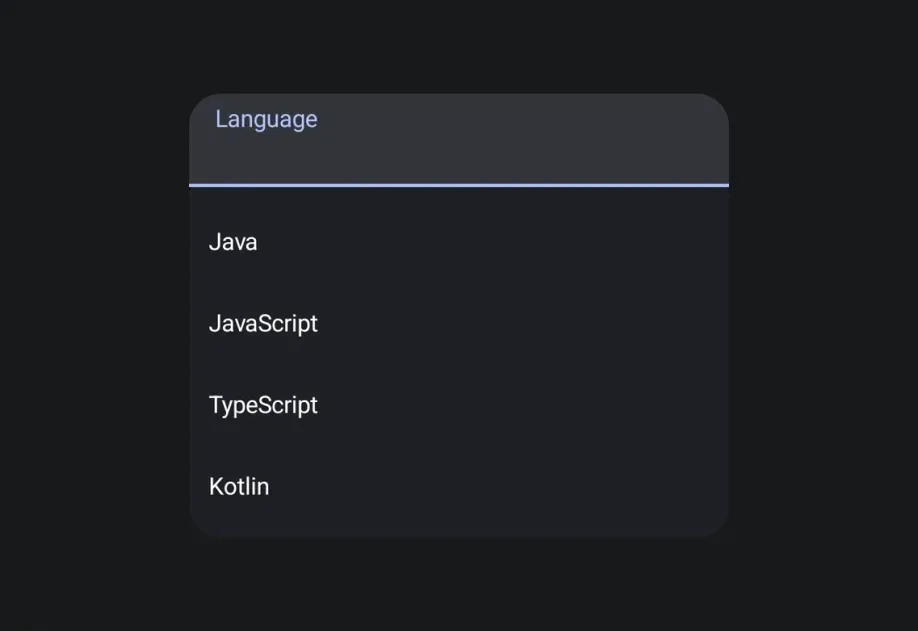
Exposed dropdown menu showing four language options anchored to a text fieldExposed dropdown menu showing four language options anchored to a text field

安装

🌐 Installation

Terminal
- npx expo install @expo/ui
- yarn expo install @expo/ui
- pnpm expo install @expo/ui
- bun expo install @expo/ui

If you are installing this in an existing React Native app, make sure to install expo in your project.

用法

🌐 Usage

基础

🌐 Basic

BasicExposedDropdownMenuBoxExample.tsx
import { DropdownMenuItem, ExposedDropdownMenuBox, ExposedDropdownMenu, Host, Text, TextField, useNativeState, } from '@expo/ui/jetpack-compose'; import { menuAnchor } from '@expo/ui/jetpack-compose/modifiers'; import { useState } from 'react'; const LANGUAGES = [ { label: 'Java', value: 'java' }, { label: 'JavaScript', value: 'js' }, { label: 'TypeScript', value: 'ts' }, ]; export default function BasicExposedDropdownMenuBoxExample() { const selectedLabel = useNativeState('Java'); const [expanded, setExpanded] = useState(false); return ( <Host matchContents> <ExposedDropdownMenuBox expanded={expanded} onExpandedChange={setExpanded}> <TextField value={selectedLabel} readOnly modifiers={[menuAnchor()]} /> <ExposedDropdownMenu expanded={expanded} onDismissRequest={() => setExpanded(false)}> {LANGUAGES.map(lang => ( <DropdownMenuItem key={lang.value} onClick={() => { selectedLabel.value = lang.label; setExpanded(false); }}> <DropdownMenuItem.Text> <Text>{lang.label}</Text> </DropdownMenuItem.Text> </DropdownMenuItem> ))} </ExposedDropdownMenu> </ExposedDropdownMenuBox> </Host> ); }

应用接口

🌐 API

import { ExposedDropdownMenuBox } from '@expo/ui/jetpack-compose';

No API data file found, sorry!