This documentation is available as Markdown for AI agents and LLMs. See the full Markdown index or append .md to any documentation URL.

表面

用于样式化内容容器的 Jetpack Compose Surface 组件。

Android
Included in Expo Go
Recommended version:
~58.0.15

Expo UI Surface 与官方 Jetpack Compose Surface API 相匹配,并提供一个容器,应用 Material Design 表面样式,包括颜色、层次和内容颜色。

🌐 Expo UI Surface matches the official Jetpack Compose Surface API and provides a container that applies Material Design surface styling including color, elevation, and content color.

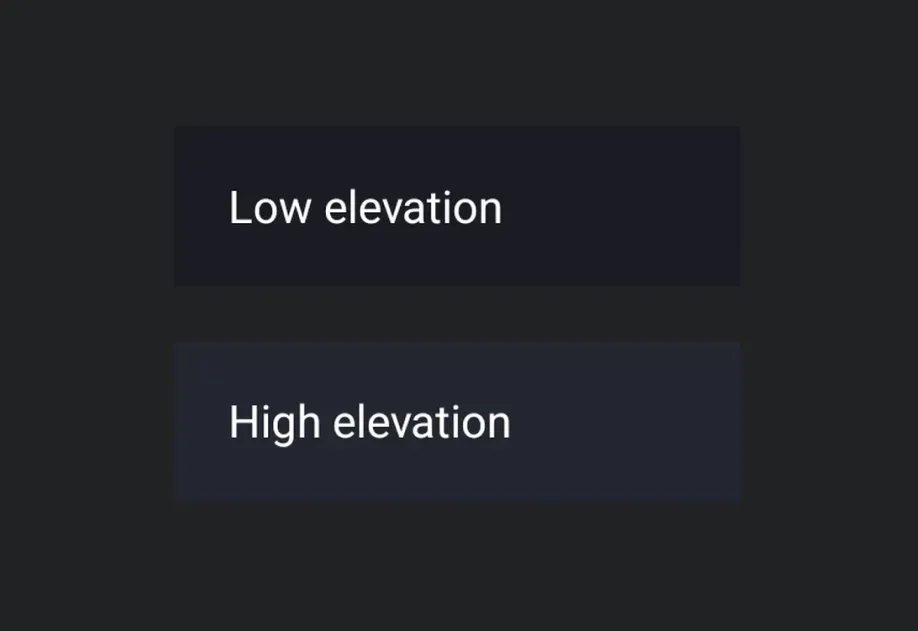
Two stacked Material 3 surfaces at low and high elevationTwo stacked Material 3 surfaces at low and high elevation

安装

🌐 Installation

Terminal
- npx expo install @expo/ui
- yarn expo install @expo/ui
- pnpm expo install @expo/ui
- bun expo install @expo/ui

If you are installing this in an existing React Native app, make sure to install expo in your project.

用法

🌐 Usage

基本表面

🌐 Basic surface

BasicSurfaceExample.tsx
import { Host, Surface, Text } from '@expo/ui/jetpack-compose'; import { paddingAll } from '@expo/ui/jetpack-compose/modifiers'; export default function BasicSurfaceExample() { return ( <Host matchContents> <Surface> <Text modifiers={[paddingAll(16)]}> Content on a surface </Text> </Surface> </Host> ); }

有高程的表面

🌐 Surface with elevation

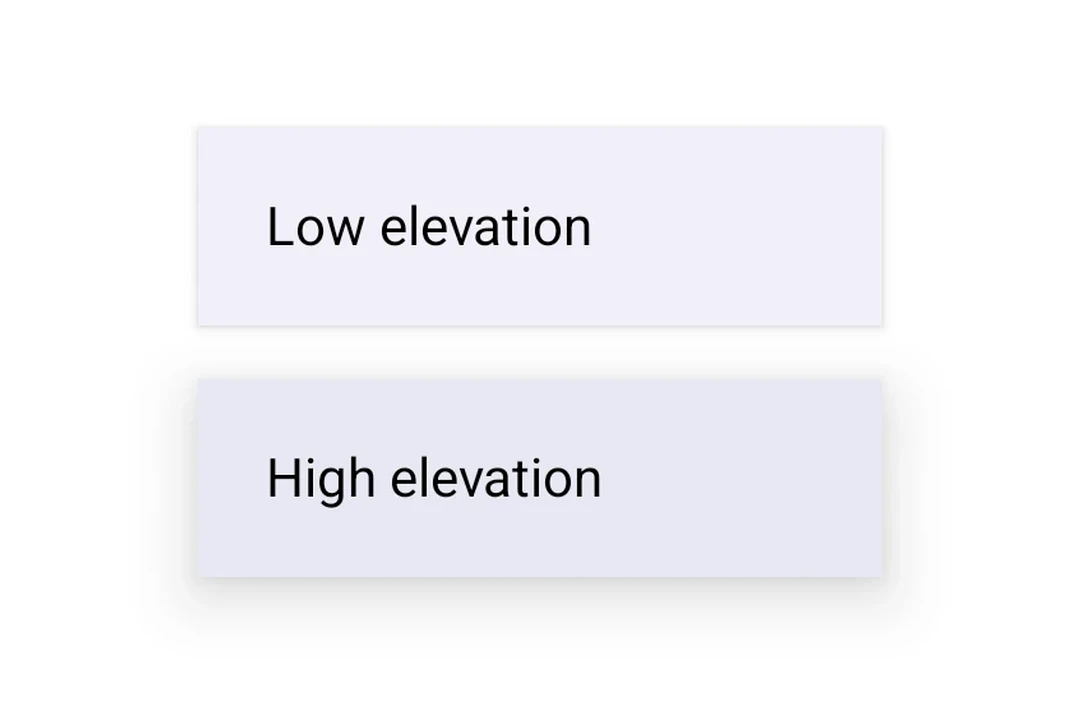
使用 tonalElevation 和 shadowElevation 来控制表面的视觉深度。

🌐 Use tonalElevation and shadowElevation to control the visual depth of the surface.
SurfaceElevationExample.tsx
import { Host, Surface, Column, Text, } from '@expo/ui/jetpack-compose'; import { paddingAll } from '@expo/ui/jetpack-compose/modifiers'; export default function SurfaceElevationExample() { return ( <Host matchContents> <Column verticalArrangement={{ spacedBy: 16 }} modifiers={[paddingAll(16)]}> <Surface tonalElevation={1} shadowElevation={2}> <Text modifiers={[paddingAll(16)]}>Low elevation</Text> </Surface> <Surface tonalElevation={4} shadowElevation={8}> <Text modifiers={[paddingAll(16)]}>High elevation</Text> </Surface> </Column> </Host> ); }

带有自定义颜色的表面

🌐 Surface with custom colors

使用 color 和 contentColor 属性来覆盖默认的 Material 主题颜色。

🌐 Use the color and contentColor props to override the default Material theme colors.

SurfaceCustomColorsExample.tsx
import { Host, Surface, Text } from '@expo/ui/jetpack-compose'; import { paddingAll } from '@expo/ui/jetpack-compose/modifiers'; export default function SurfaceCustomColorsExample() { return ( <Host matchContents> <Surface color="#1E3A5F" contentColor="#FFFFFF" tonalElevation={2}> <Text color="#FFFFFF" modifiers={[paddingAll(16)]}> Custom colored surface </Text> </Surface> </Host> ); }

带形状和边框的表面

🌐 Surface with shape and border

使用 shape 属性剪裁内容,使用 border 在表面周围绘制边框。

🌐 Use the shape prop to clip content and border to draw a stroke around the surface.

SurfaceShapeBorderExample.tsx
import { Host, Surface, Shape, Text, } from '@expo/ui/jetpack-compose'; import { paddingAll } from '@expo/ui/jetpack-compose/modifiers'; export default function SurfaceShapeBorderExample() { return ( <Host matchContents> <Surface shape={Shape.RoundedCorner({ cornerRadii: { topStart: 16, topEnd: 16, bottomStart: 16, bottomEnd: 16, }, })} border={{ width: 2, color: '#6200EE' }}> <Text modifiers={[paddingAll(16)]}> Rounded surface with border </Text> </Surface> </Host> ); }

应用接口

🌐 API

import { Surface } from '@expo/ui/jetpack-compose';

No API data file found, sorry!