This documentation is available as Markdown for AI agents and LLMs. See the full Markdown index or append .md to any documentation URL.
AlertDialog
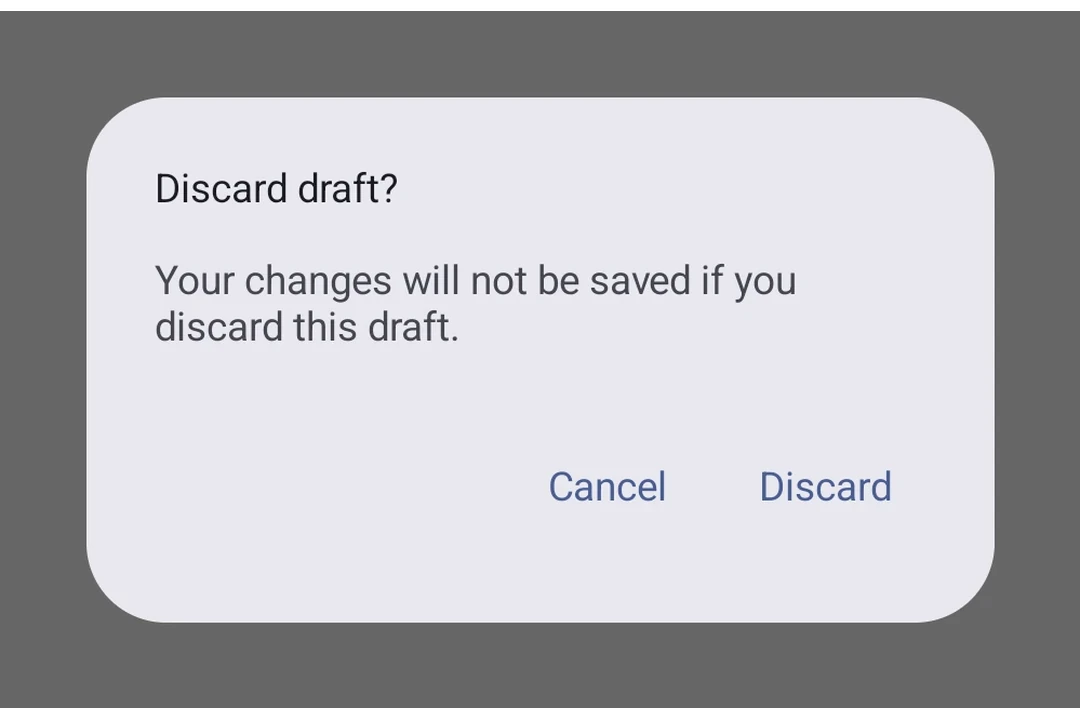
用于显示原生警告对话框的 Jetpack Compose AlertDialog 组件。
Expo UI AlertDialog 与官方 Jetpack Compose AlertDialog API 相匹配。内容通过插槽子组件(AlertDialog.Title、AlertDialog.Text、AlertDialog.ConfirmButton、AlertDialog.DismissButton、AlertDialog.Icon)提供,这些子组件直接映射到 Compose 的插槽参数。
🌐 Expo UI AlertDialog matches the official Jetpack Compose AlertDialog API. Content is provided via slot sub-components (AlertDialog.Title, AlertDialog.Text, AlertDialog.ConfirmButton, AlertDialog.DismissButton, AlertDialog.Icon) that map directly to Compose's slot parameters.
安装
🌐 Installation
- npx expo install @expo/uiIf you are installing this in an existing React Native app, make sure to install expo in your project.
用法
🌐 Usage
基本警告对话框
🌐 Basic alert dialog
import { useState } from 'react';
import { Host, AlertDialog, Button, TextButton, Text } from '@expo/ui/jetpack-compose';

export default function BasicAlertDialogExample() {
  const [visible, setVisible] = useState(false);

  return (
    <Host matchContents>
      <Button onClick={() => setVisible(true)}>
        <Text>Show Alert</Text>
      </Button>
      {visible && (
        <AlertDialog onDismissRequest={() => setVisible(false)}>
          <AlertDialog.Title>
            <Text>Confirm Action</Text>
          </AlertDialog.Title>
          <AlertDialog.Text>
            <Text>Are you sure you want to proceed?</Text>
          </AlertDialog.Text>
          <AlertDialog.ConfirmButton>
            <TextButton onClick={() => setVisible(false)}>
              <Text>Confirm</Text>
            </TextButton>
          </AlertDialog.ConfirmButton>
          <AlertDialog.DismissButton>
            <TextButton onClick={() => setVisible(false)}>
              <Text>Cancel</Text>
            </TextButton>
          </AlertDialog.DismissButton>
        </AlertDialog>
      )}
    </Host>
  );
}
自定义颜色
🌐 Custom colors
import { useState } from 'react';
import { Host, AlertDialog, Button, TextButton, Text } from '@expo/ui/jetpack-compose';

export default function CustomColorsExample() {
  const [visible, setVisible] = useState(false);

  return (
    <Host matchContents>
      <Button onClick={() => setVisible(true)}>
        <Text>Show Alert</Text>
      </Button>
      {visible && (
        <AlertDialog
          onDismissRequest={() => setVisible(false)}
          colors={{
            containerColor: '#1E1E2E',
            titleContentColor: '#CDD6F4',
            textContentColor: '#BAC2DE',
          }}>
          <AlertDialog.Title>
            <Text>Custom Dialog</Text>
          </AlertDialog.Title>
          <AlertDialog.Text>
            <Text>This dialog uses custom colors.</Text>
          </AlertDialog.Text>
          <AlertDialog.ConfirmButton>
            <TextButton onClick={() => setVisible(false)}>
              <Text>OK</Text>
            </TextButton>
          </AlertDialog.ConfirmButton>
          <AlertDialog.DismissButton>
            <TextButton onClick={() => setVisible(false)}>
              <Text>Cancel</Text>
            </TextButton>
          </AlertDialog.DismissButton>
        </AlertDialog>
      )}
    </Host>
  );
}
带图标
🌐 With icon
import { useState } from 'react';
import { Host, AlertDialog, Button, TextButton, Text, Icon } from '@expo/ui/jetpack-compose';

export default function IconDialogExample() {
  const [visible, setVisible] = useState(false);

  return (
    <Host matchContents>
      <Button onClick={() => setVisible(true)}>
        <Text>Show Alert</Text>
      </Button>
      {visible && (
        <AlertDialog onDismissRequest={() => setVisible(false)}>
          <AlertDialog.Icon>
            {/* Replace with your own icon asset */}
            <Icon source={require('./info-icon.xml')} />
          </AlertDialog.Icon>
          <AlertDialog.Title>
            <Text>Dialog with Icon</Text>
          </AlertDialog.Title>
          <AlertDialog.Text>
            <Text>This dialog has an icon above the title.</Text>
          </AlertDialog.Text>
          <AlertDialog.ConfirmButton>
            <TextButton onClick={() => setVisible(false)}>
              <Text>OK</Text>
            </TextButton>
          </AlertDialog.ConfirmButton>
        </AlertDialog>
      )}
    </Host>
  );
}
应用接口
🌐 API
import { AlertDialog } from '@expo/ui/jetpack-compose';
Component
Type: React.Element<AlertDialogProps>
Renders an AlertDialog component with slot-based content matching the Compose API.
Content is provided via slot sub-components: AlertDialog.Title, AlertDialog.Text,
AlertDialog.ConfirmButton, AlertDialog.DismissButton, and AlertDialog.Icon.
ReactNodeChildren containing slot sub-components (AlertDialog.Title, AlertDialog.Text,
AlertDialog.ConfirmButton, AlertDialog.DismissButton, AlertDialog.Icon).
() => voidCallback that is called when the user tries to dismiss the dialog (for example, by tapping outside of it or pressing the back button).
Types
Colors for the alert dialog, matching AlertDialogDefaults in Compose.
| Property | Type | Description |
|---|---|---|
| containerColor(optional) | ColorValue | The background color of the dialog. |
| iconContentColor(optional) | ColorValue | The color of the icon. |
| textContentColor(optional) | ColorValue | The color of the body text. |
| titleContentColor(optional) | ColorValue | The color of the title text. |
Properties for the dialog window, matching DialogProperties in Compose.
| Property | Type | Description |
|---|---|---|
| decorFitsSystemWindows(optional) | boolean | Whether the dialog's decor fits system windows (status bar, navigation bar, and more).
When Default: true |
| dismissOnBackPress(optional) | boolean | Whether the dialog can be dismissed by pressing the back button. Default: true |
| dismissOnClickOutside(optional) | boolean | Whether the dialog can be dismissed by clicking outside of it. Default: true |
| usePlatformDefaultWidth(optional) | boolean | Whether the dialog should use the platform default width. Default: true |