This documentation is available as Markdown for AI agents and LLMs. See the full Markdown index or append .md to any documentation URL.
HorizontalFloatingToolbar
一个用于显示浮动操作栏的 Jetpack Compose HorizontalFloatingToolbar 组件。
Expo UI HorizontalFloatingToolbar 封装了官方 Jetpack Compose HorizontalFloatingToolbar,并显示一个悬浮在内容上方的水平工具栏,包含操作按钮。
🌐 Expo UI HorizontalFloatingToolbar wraps the official Jetpack Compose HorizontalFloatingToolbar and displays a horizontal toolbar that floats above content, containing action buttons.
注意: 如果你只需要一个浮动按钮,请使用
FloatingActionButton替代。
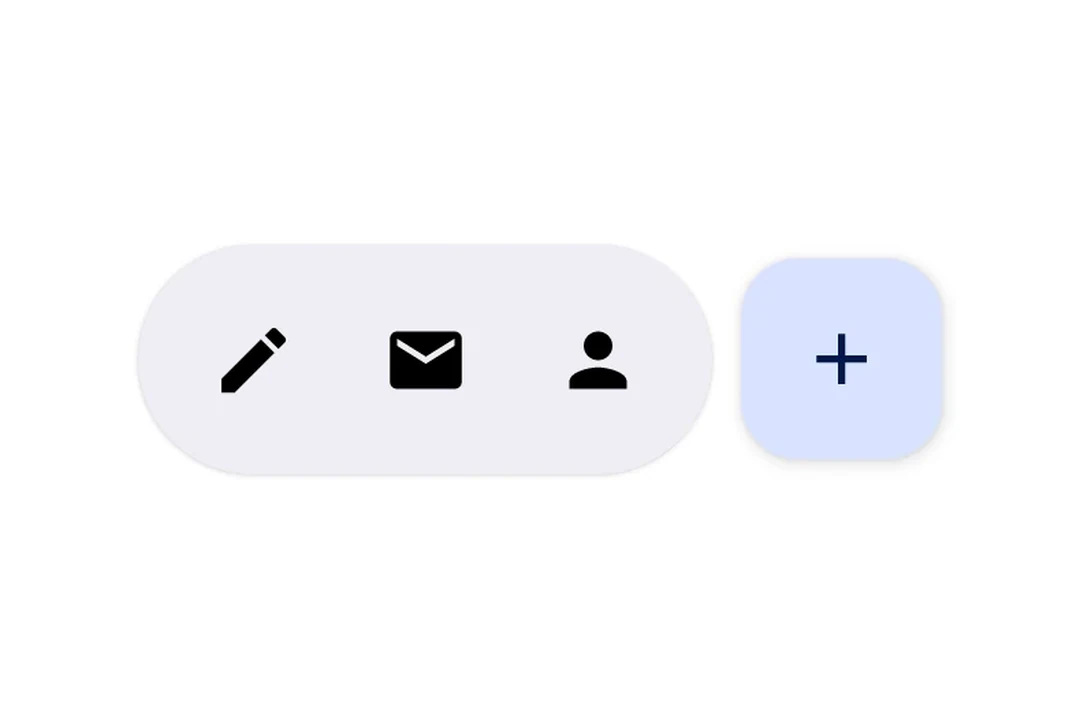
安装
🌐 Installation
- npx expo install @expo/uiIf you are installing this in an existing React Native app, make sure to install expo in your project.
用法
🌐 Usage
可滚动内容上的浮动工具栏
🌐 Floating toolbar over scrollable content
将工具栏放置在带有 floatingToolbarExitAlwaysScrollBehavior 的 Box 中以实现滚动驱动的隐藏/显示行为。使用 align('bottomCenter') 将工具栏定位在屏幕底部。整个布局保持在 Compose 层内 — 无需 React Native 的绝对定位。
🌐 Place the toolbar inside a Box with floatingToolbarExitAlwaysScrollBehavior to get scroll-driven hide/show behavior. Use align('bottomCenter') to position the toolbar at the bottom of the screen. The entire layout stays within the Compose layer — no React Native absolute positioning needed.
import {
  Box,
  HorizontalFloatingToolbar,
  Host,
  Icon,
  IconButton,
  LazyColumn,
  ListItem,
} from '@expo/ui/jetpack-compose';
import { align, fillMaxSize, fillMaxWidth, offset } from '@expo/ui/jetpack-compose/modifiers';

export default function FloatingToolbarExample() {
  return (
    <Host style={{ flex: 1 }}>
      <Box modifiers={[fillMaxSize()]} floatingToolbarExitAlwaysScrollBehavior="bottom">
        <LazyColumn modifiers={[fillMaxSize()]}>{/* ...list items... */}</LazyColumn>

        <HorizontalFloatingToolbar
          variant="vibrant"
          modifiers={[align('bottomCenter'), offset(0, -16)]}>
          <IconButton onClick={() => console.log('Edit pressed')}>
            <Icon source={require('./assets/edit.xml')} />
          </IconButton>
          <HorizontalFloatingToolbar.FloatingActionButton
            onClick={() => console.log('Add pressed')}>
            <Icon source={require('./assets/add.xml')} />
          </HorizontalFloatingToolbar.FloatingActionButton>
        </HorizontalFloatingToolbar>
      </Box>
    </Host>
  );
}
带浮动操作按钮的工具栏
🌐 Toolbar with FloatingActionButton
将 IconButton 用作工具栏项目的直接子元素,将 HorizontalFloatingToolbar.FloatingActionButton 用于主要操作。
🌐 Use IconButton as direct children for toolbar items, and HorizontalFloatingToolbar.FloatingActionButton for the primary action.
import { Host, HorizontalFloatingToolbar, IconButton, Icon } from '@expo/ui/jetpack-compose';

export default function ToolbarWithFABExample() {
  return (
    <Host matchContents>
      <HorizontalFloatingToolbar>
        <IconButton onClick={() => console.log('Edit pressed')}>
          <Icon source={require('./assets/edit.xml')} contentDescription="Edit" />
        </IconButton>
        <IconButton onClick={() => console.log('Share pressed')}>
          <Icon source={require('./assets/share.xml')} contentDescription="Share" />
        </IconButton>
        <HorizontalFloatingToolbar.FloatingActionButton onPress={() => console.log('Add pressed')}>
          <Icon source={require('./assets/add.xml')} contentDescription="Add" />
        </HorizontalFloatingToolbar.FloatingActionButton>
      </HorizontalFloatingToolbar>
    </Host>
  );
}
应用接口
🌐 API
import { HorizontalFloatingToolbar } from '@expo/ui/jetpack-compose';
Components
Type: React.Element<HorizontalFloatingToolbarProps>
Renders a HorizontalFloatingToolbar component.
A horizontal toolbar that floats above content, typically used for action buttons.
HorizontalFloatingToolbarColorsPer-slot color overrides. Any field set here replaces the corresponding color from the variant default; unset fields fall back to the variant.
Type: React.Element<HorizontalFloatingToolbarFloatingActionButtonProps>
FloatingActionButton component for HorizontalFloatingToolbar. This component marks its children to be rendered in the FAB slot.
Types
| Property | Type | Description |
|---|---|---|
| fabContainerColor(optional) | ColorValue | Color of the floating action button container (background). |
| fabContentColor(optional) | ColorValue | Color of the floating action button content (icon). |
| toolbarContainerColor(optional) | ColorValue | Color of the toolbar container (background). |
| toolbarContentColor(optional) | ColorValue | Color of the toolbar content (icons/text). |