This documentation is available as Markdown for AI agents and LLMs. See the full Markdown index or append .md to any documentation URL.
表格
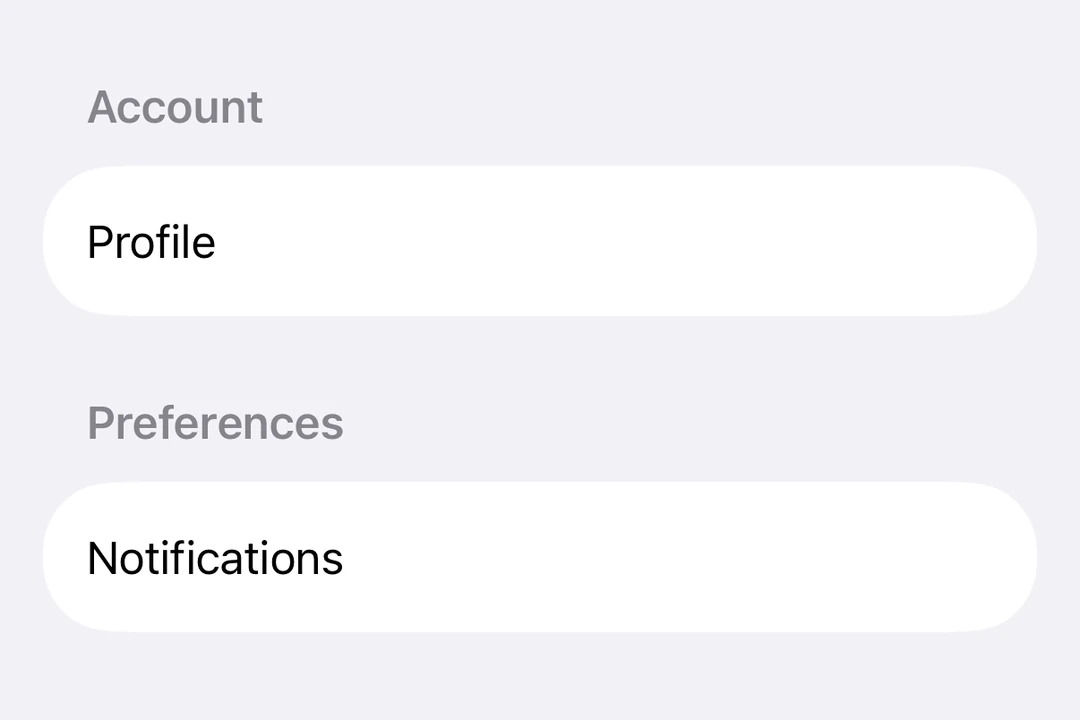
一个用于在结构化布局中收集用户输入的 SwiftUI 表单组件。
Expo UI 表单与官方 SwiftUI Form API 相匹配。它提供了一个容器,用于对用于数据输入的控件进行分组,例如在设置或检查面板中。
🌐 Expo UI Form matches the official SwiftUI Form API. It provides a container for grouping controls used for data entry, such as in settings or inspection panes.
安装
🌐 Installation
- npx expo install @expo/uiIf you are installing this in an existing React Native app, make sure to install expo in your project.
用法
🌐 Usage
基本形式
🌐 Basic form
import { useState } from 'react';
import { Host, Form, TextField } from '@expo/ui/swift-ui';

export default function BasicFormExample() {
  return (
    <Host style={{ flex: 1 }}>
      <Form>
        <TextField placeholder="Enter your name" />
      </Form>
    </Host>
  );
}
带有部分的表格
🌐 Form with sections
使用 Section 组件在表单中分组相关控件。
🌐 Use the Section component to group related controls within a form.
import { useState } from 'react';
import { Host, Form, Section, TextField, Toggle, Button } from '@expo/ui/swift-ui';

export default function FormWithSectionsExample() {
  const [notifications, setNotifications] = useState(false);
  const [darkMode, setDarkMode] = useState(false);

  return (
    <Host style={{ flex: 1 }}>
      <Form>
        <Section title="个人资料">
          <TextField placeholder="Name" />
          <TextField placeholder="Email" />
        </Section>

        <Section title="偏好">
          <Toggle
            label="Enable notifications"
            isOn={notifications}
            onIsOnChange={setNotifications}
          />
          <Toggle label="Dark mode" isOn={darkMode} onIsOnChange={setDarkMode} />
        </Section>

        <Section>
          <Button label="Save Changes" onPress={() => console.log('Saved!')} />
        </Section>
      </Form>
    </Host>
  );
}
自定义背景表单
🌐 Form with custom background
使用 scrollContentBackground 修饰符来自定义或隐藏表单的背景。
🌐 Use the scrollContentBackground modifier to customize or hide the form's background.
import { useState } from 'react';
import { Host, Form, Section, TextField } from '@expo/ui/swift-ui';
import { scrollContentBackground, background } from '@expo/ui/swift-ui/modifiers';

export default function FormBackgroundExample() {
  return (
    <Host style={{ flex: 1 }}>
      <Form modifiers={[scrollContentBackground('hidden'), background('#F0F0F0')]}>
        <Section title="自定义背景">
          <TextField placeholder="Enter text" />
        </Section>
      </Form>
    </Host>
  );
}
不可滚动表单
🌐 Non-scrollable form
使用 scrollDisabled 修饰符可以防止表单滚动。
🌐 Use the scrollDisabled modifier to prevent the form from scrolling.
注意:
scrollDisabled修饰符仅在 iOS 16 及以上版本和 tvOS 16 及以上版本可用。
import { useState } from 'react';
import { Host, Form, Section, TextField, Toggle } from '@expo/ui/swift-ui';
import { scrollDisabled } from '@expo/ui/swift-ui/modifiers';

export default function NonScrollableFormExample() {
  const [isOn, setIsOn] = useState(false);

  return (
    <Host style={{ flex: 1 }}>
      <Form modifiers={[scrollDisabled()]}>
        <Section title="设置">
          <Toggle label="Enable feature" isOn={isOn} onIsOnChange={setIsOn} />
        </Section>
      </Form>
    </Host>
  );
}
下拉刷新表单
🌐 Pull-to-refresh form
使用 refreshable 修饰符来添加下拉刷新功能。
🌐 Use the refreshable modifier to add pull-to-refresh functionality.
import { useState, useCallback } from 'react';
import { Host, Form, Section, Text } from '@expo/ui/swift-ui';
import { refreshable } from '@expo/ui/swift-ui/modifiers';

export default function RefreshableFormExample() {
  const [lastRefresh, setLastRefresh] = useState(new Date());

  const handleRefresh = useCallback(async () => {
    // Simulate network request
    await new Promise(resolve => setTimeout(resolve, 1500));
    setLastRefresh(new Date());
  }, []);

  return (
    <Host style={{ flex: 1 }}>
      <Form modifiers={[refreshable(handleRefresh)]}>
        <Section title="下拉刷新">
          <Text>Last refreshed: {lastRefresh.toLocaleTimeString()}</Text>
        </Section>
      </Form>
    </Host>
  );
}
应用接口
🌐 API
import { Form } from '@expo/ui/swift-ui';