This documentation is available as Markdown for AI agents and LLMs. See the full Markdown index or append .md to any documentation URL.
SecureField
用于密码输入的 SwiftUI SecureField 组件。
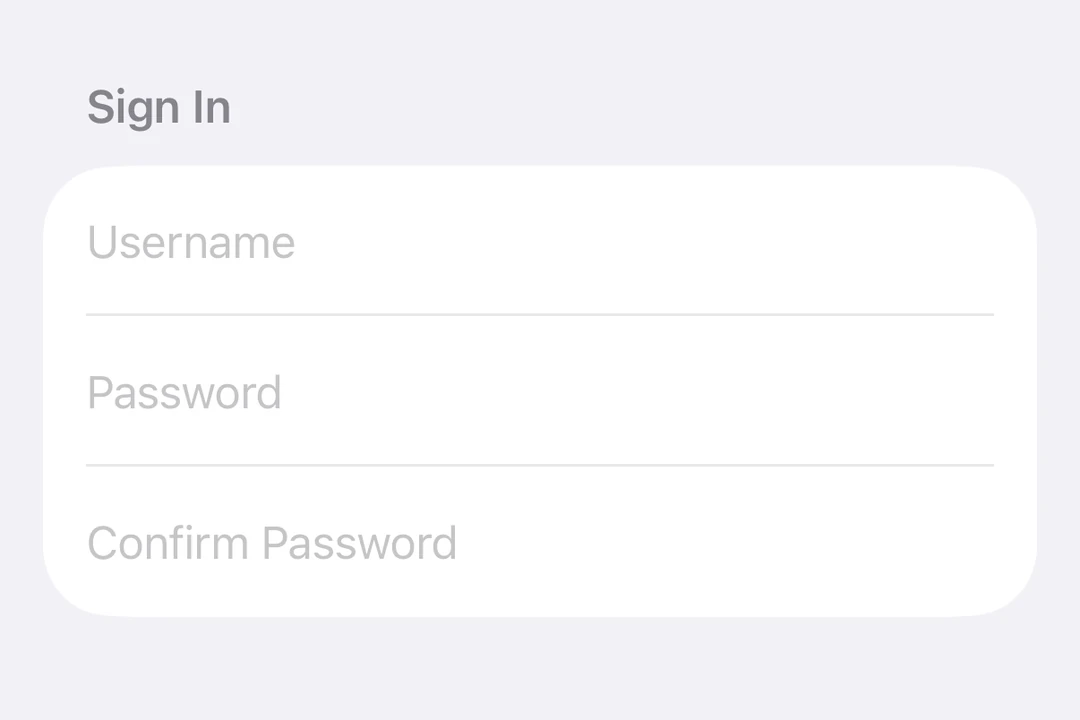
Expo UI SecureField 与官方 SwiftUI SecureField API 相匹配,并提供一个文本字段,用于掩盖用户输入的密码和其他敏感文本。
🌐 Expo UI SecureField matches the official SwiftUI SecureField API and provides a text field that masks user input for passwords and other sensitive text.
安装
🌐 Installation
- npx expo install @expo/uiIf you are installing this in an existing React Native app, make sure to install expo in your project.
用法
🌐 Usage
基本安全字段
🌐 Basic secure field
import { useState } from 'react';
import { Host, SecureField } from '@expo/ui/swift-ui';

export default function BasicSecureFieldExample() {
  const [password, setPassword] = useState('');

  return (
    <Host matchContents>
      <SecureField placeholder="Password" onTextChange={setPassword} />
    </Host>
  );
}
提交处理
🌐 Submit handling
使用 submitLabel 和 onSubmit 修饰符来处理来自键盘的表单提交。
🌐 Use the submitLabel and onSubmit modifiers to handle form submission from the keyboard.
import { useState } from 'react';
import { Host, SecureField } from '@expo/ui/swift-ui';
import { submitLabel, onSubmit } from '@expo/ui/swift-ui/modifiers';

export default function SecureFieldSubmitExample() {
  const [password, setPassword] = useState('');

  return (
    <Host matchContents>
      <SecureField
        placeholder="Password"
        onTextChange={setPassword}
        modifiers={[submitLabel('done'), onSubmit(() => console.log('Login submitted'))]}
      />
    </Host>
  );
}
命令参考
🌐 Imperative ref
使用引用以命令式地设置文本、聚焦或失焦安全字段。
🌐 Use a ref to imperatively set text, focus, or blur the secure field.
import { useRef } from 'react';
import { Host, SecureField, SecureFieldRef, Button, HStack, VStack } from '@expo/ui/swift-ui';
import { buttonStyle } from '@expo/ui/swift-ui/modifiers';

export default function ImperativeSecureFieldExample() {
  const ref = useRef<SecureFieldRef>(null);

  return (
    <Host matchContents>
      <VStack>
        <SecureField ref={ref} placeholder="Password" />
        <HStack spacing={12}>
          <Button
            modifiers={[buttonStyle('bordered')]}
            onPress={() => ref.current?.focus()}
            label="Focus"
          />
          <Button
            modifiers={[buttonStyle('bordered')]}
            onPress={() => ref.current?.blur()}
            label="Blur"
          />
          <Button
            modifiers={[buttonStyle('bordered')]}
            onPress={() => ref.current?.setText('secret123')}
            label="Set Text"
          />
        </HStack>
      </VStack>
    </Host>
  );
}
应用接口
🌐 API
import { SecureField } from '@expo/ui/swift-ui';
Component
Type: React.Element<SecureFieldProps>
Renders a SwiftUI SecureField for password input.
boolean • Default: falseIf true, the secure field will be focused automatically when mounted.
ReactNodeSlot children - supports <SecureField.Placeholder> with a <Text> child
numberMaximum number of characters allowed. Truncates natively as the user types.
(focused: boolean) => voidA callback triggered when the field gains or loses focus.
(text: string) => voidA callback triggered when the text value changes.
If the callback is marked with the 'worklet' directive, it runs synchronously
on the UI thread; otherwise it is delivered asynchronously as a regular JS event.
Ref<SecureFieldRef>ObservableState<string>An observable state that holds the current text.
Create one with useNativeState('') or useNativeState('initial value').
If omitted, the field manages its own internal state.